
If you need the short answer: start with Intel N100, N150 or N305 class hardware for a 24/7 home server, Ryzen 7 9800X3D for an efficient gaming PC, Ryzen 7 8700G for a quiet office desktop without a graphics card, Ryzen 9 9950X with sensible power limits for heavy workstation work, and Ryzen 7 9700X for a balanced local AI or development build.
Energy-efficient does not mean “the CPU with the lowest watt number.”
It means the right processor for the way your PC actually lives: how many hours it runs, how much heat it adds to the room, how loud the fans get, how much useful work it finishes, and whether the CPU is even the real bottleneck.
For a 24/7 home server, the best CPU is usually the one inside a low-idle platform. For a quiet office desktop, it may be the chip that lets you skip a discrete graphics card. For gaming, efficiency means strong frame times without wasting cooling and budget. For workstation tasks, a faster CPU can sometimes use less energy per finished render or compile because it finishes sooner and returns to idle.
That is the rule for this guide:
Buy for the workload, not for the watt label.
Best Energy-Efficient CPU Picks by Use Case
If we were buying today, these are the first CPU lanes we would price. Treat this as a shortlist, not a universal ranking.
Match the CPU to the workload, then check watts
A 6W mini PC can be perfect for a 24/7 service box and terrible for a render job. A 120W gaming CPU can be efficient in games and wasteful in a file server. Start with the scenario, then check the numbers.
Open planner ->
If you only remember one thing
- Server that runs all week: start with Intel N100 / N150 / N305 class hardware.
- Office desktop without a graphics card: price Ryzen 7 8700G or Ryzen 5 8600G.
- Gaming-first build: price Ryzen 7 9800X3D first.
- Sustained creator work: use Ryzen 9 9950X only if the cores earn their keep, then limit power sensibly.
- Local AI build: protect GPU, VRAM, RAM and storage before chasing a more expensive CPU.
- Intel desktop: watch Core Ultra 200S Plus, but do not treat it as the default efficient gaming route yet.
- Prefer live numbers over reading? Every pick below carries a live value widget, and the full ranked list lives in the live CPU value table.
Quick Buy / Skip Matrix
Use this table before opening stores. It compresses the long guide into the question a buyer actually has: “Should I buy this lane, skip it, or wait?”
| Lane | Buy if... | Skip if... | Cheaper alternative | Wait note |
|---|---|---|---|---|
| N100/N150/N305 | The box runs 24/7 for storage, sync, dashboards or light services. | You need heavy VMs, CPU transcoding, rendering or local AI. | Reuse a quiet laptop or buy a simple mini PC if storage/NIC needs are small. | Do not wait for desktop CPU launches; measure whole-system idle instead. |
| Ryzen 7 8700G | You want an AM5 desktop without a discrete GPU. | A mini PC handles the office workload or you already plan a graphics card. | Ryzen 5 8600G, or a low-power mini PC. | Wait only if local prices make it too close to a stronger non-APU build. |
| Ryzen 7 9800X3D | You want high-FPS gaming with a quiet, efficient CPU path. | You play GPU-bound 4K, run a budget GPU, or need mostly workstation cores. | Ryzen 5 7600/9600X, or future value X3D if independent tests support it. | Watch Ryzen 7 7700X3D and live 9850X3D prices. |
| Ryzen 9 9950X | You run sustained paid renders, compiles, exports or mixed production work. | The machine mostly browses, games, or waits idle. | Ryzen 7 9700X/9800X3D depending on the main workload. | If the workload is occasional, rent/cloud or keep the current PC until time loss is real. |
| Ryzen 7 9700X | You need a balanced local AI/dev desktop and the GPU/VRAM budget matters more. | Your CPU preprocesses, compiles or serves models heavily every day. | Ryzen 5 9600X for lighter dev, or a stronger Ryzen 9 when CPU time is the bottleneck. | Prioritize GPU, VRAM, RAM and storage before chasing CPU watts. |
| Core Ultra 250K/270K Plus | Your software benefits from Intel's multi-threaded profile and live pricing is strong. | You want the default quiet gaming answer. | Ryzen 7 9800X3D for gaming; Ryzen 7 9700X for balanced AM5. | Wait for more long-term platform, BIOS and street-price data. |
Transparency: some links below are affiliate links — if you buy through them, Price2Click may earn a commission at no extra cost to you. Prices change; every live price in this guide shows its data date.
Best Quiet Office Desktop CPU: Ryzen 7 8700G
The Ryzen 7 8700G is not the generic answer to “office PC.”
It is the answer to a narrower and better question:
What should I buy if I want a quiet, normal AM5 desktop without a discrete graphics card?
That niche still matters. Integrated graphics remove the cost, heat, fan noise and failure points of a separate GPU while keeping a proper desktop platform with replaceable parts. For a family PC, school PC, front-desk desktop or quiet office machine, that can be the cleanest build.
But do not overbuy it.
If the workload is only browser tabs, email, documents, video calls and streaming, a good mini PC can be cheaper, smaller and quieter. The 8700G makes sense when you specifically want desktop expandability, AM5 flexibility, multiple normal desktop parts and integrated graphics strong enough to avoid a dGPU.
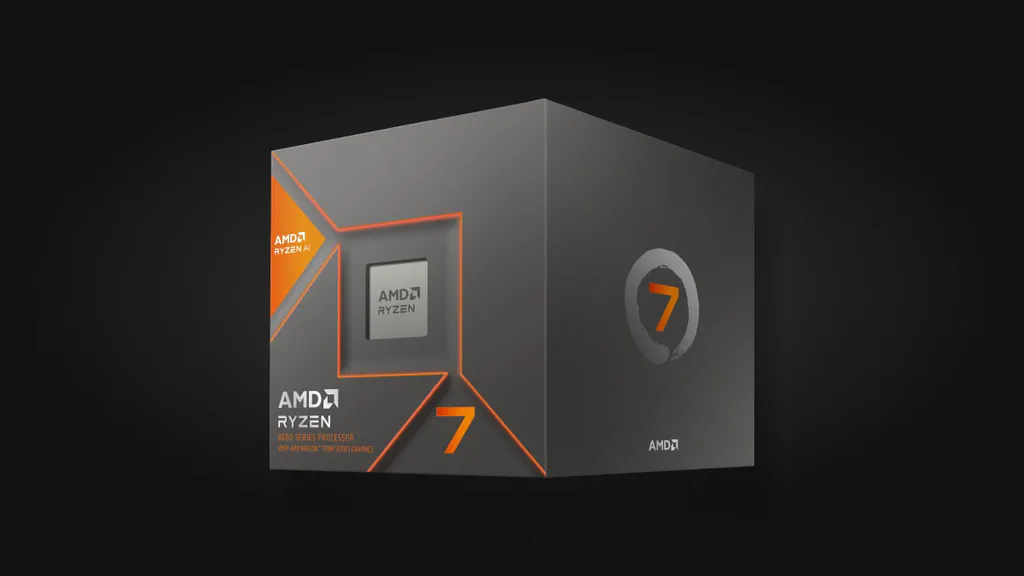
AMD Ryzen 7 8700G
A strong APU choice when you want a normal desktop board, low noise, integrated graphics and future AM5 flexibility.
- Best for: quiet AM5 office desktop without a graphics card
- Platform: AM5
- Graphics: integrated Radeon graphics
- Role in this guide: platform-simplifying pick, not universal budget pick
- You want a quiet desktop with no discrete GPU
- You need a normal motherboard, replaceable parts and AM5 flexibility
- You want fewer hot parts and simpler cooling
- A mini PC already solves the workload
- You plan to add a graphics card anyway
- You mainly want the cheapest possible office PC
Live Value Analyzer (Balanced Preset)
This real-time tracker uses our Balanced preset. It evaluates the 8700G's value by balancing everyday office workloads, power efficiency, and the strength of the integrated Radeon 780M graphics. We use this preset because the 8700G's value lies in removing a separate graphics card from a quiet desktop build. A Value Score of 80+ represents a solid buyable target. If it is below, check if a cheaper Ryzen 5 8600G or a compact Ryzen-based mini PC offers a more rational price-to-performance ratio for your desktop space.
Price rule: buy the 8700G when the no-GPU AM5 desktop is the goal. If the Ryzen 5 8600G is much cheaper, price it first. If a mini PC does the job for less, do not force a desktop build.
What we would avoid: buying an old hot office tower because it is cheap up front. If it idles high, runs loud and needs a discrete GPU just to support your display setup, the “deal” can become a noisy desk heater.
Modern 2026 Alternatives: Since the Ryzen 7 8700G is a Zen 4-based part from 2024, buyers in 2026 should evaluate three modern paths:
- The Next-Gen Desktop APU: The Ryzen AI 7 450G (Zen 5 cores, Radeon 800M series RDNA 3.5 graphics, and a 50-TOPS NPU). This is the direct generation upgrade, but it is currently more expensive and mostly limited to pre-built systems.
- The Non-APU Desktop Route: A standard Ryzen 5 9600X or Ryzen 7 9700X (Zen 5, 65W). If your office PC only needs integrated graphics to light up display monitors (no gaming or heavy GPU workloads), standard Zen 5 CPUs are faster, run cooler, and their basic 2 CU built-in graphics are perfectly sufficient.
- The Mini PC Route: Mini PCs powered by Ryzen AI 9 HX 370 / HX 365 chips. These mobile-derived designs are far more efficient (under 30–54W full load), offer superior RDNA 3.5 graphics, and eliminate the need for a separate desktop chassis and power supply.
Best 24/7 Home Server CPU: Intel N100 / N150 / N305 Class
For a home server, the first question is boring and important:
How many watts does the whole box burn while doing almost nothing?
Most home servers wait more than they work. They serve files, sync photos, host dashboards, run a few containers, keep backups online, stream media occasionally or handle light home-network services.
That is why Intel N100 / N150 / N305 class hardware is so useful. It is not heroic in desktop benchmarks. It does not need to be. Its value is low platform draw, compact hardware and enough performance for always-on light services.
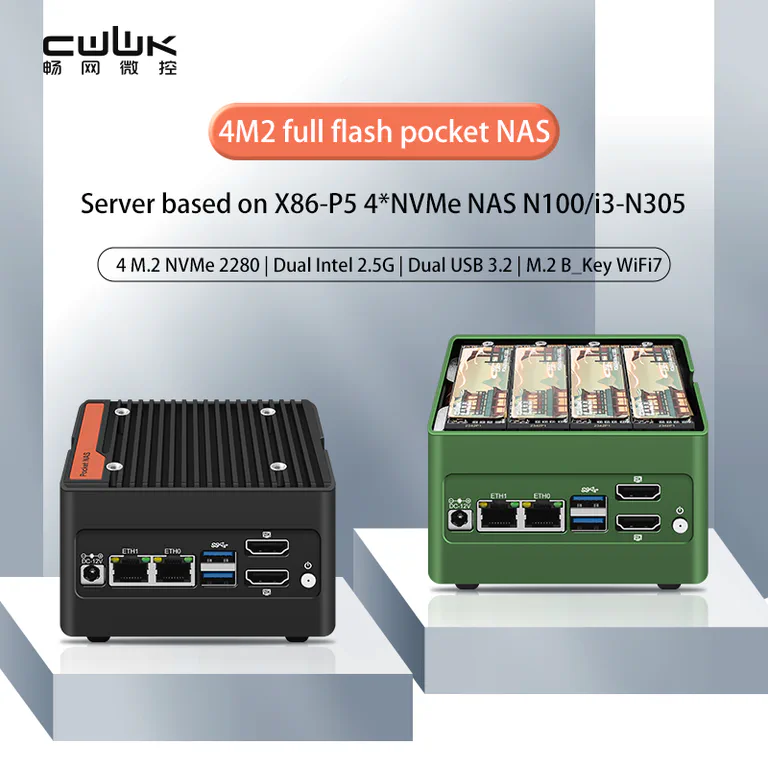
Intel N100 / N150 / N305 appliance-class route
A useful example of the low-power x86 NAS route: compact, dual 2.5GbE, NVMe-focused and much saner than repurposing a hot gaming tower as a file server.
- Best for: storage, sync, dashboards, light containers, home lab basics
- Avoid for: heavy VMs, CPU transcoding, rendering, local AI, serious compile work
- Measurement to check: whole-system idle at the wall
- The system runs 24/7
- Idle power matters more than peak speed
- You want a tidy NAS/router-lab/sync box
- You need heavy CPU work
- You need many VMs or CPU transcoding
- You need large storage expansion or many PCIe devices
The exact CPU name is not enough. Check the whole platform: power adapter, motherboard, BIOS, fan curve, NICs, drives and storage layout. A small NAS board with poor cooling, awkward drive support or a bad adapter can lose part of the efficiency advantage.
Price rule: do not compare an N100 board against a desktop CPU by benchmark score. Compare it against the old tower it replaces. If the old box idles at 70–100W and the new system idles far lower, the yearly difference can become visible.
When to size up: choose N305 or a richer compact workstation-class box only when you can name the extra work: more containers, more networking, more storage I/O, virtualization, PCIe expansion or specific media needs. If you are choosing between many N100/N305-style boards, ServeTheHome’s mini-PC and low-power NAS coverage is useful because it pays attention to networking, storage layout and platform behavior, not only CPU branding.
There is no live price widget for this lane yet: N-series chips ship inside boards and mini PCs, not as bare CPUs, so they sit outside our CPU price database for now. You can still sanity-check any always-on build plan against the full live CPU value table — sort by TDP and value to see what a desktop-class “efficient” chip really costs to run.
Best Energy-Efficient Gaming CPU: Ryzen 7 9800X3D
For gaming, efficiency means high frame rates and stable frame times without brute-force heat.
That is why the Ryzen 7 9800X3D remains the first CPU we would price for a serious gaming-first build. It gives the benefit that matters most in many CPU-sensitive games: large 3D V-Cache, excellent gaming performance and no need to buy a hotter many-core CPU just for games.
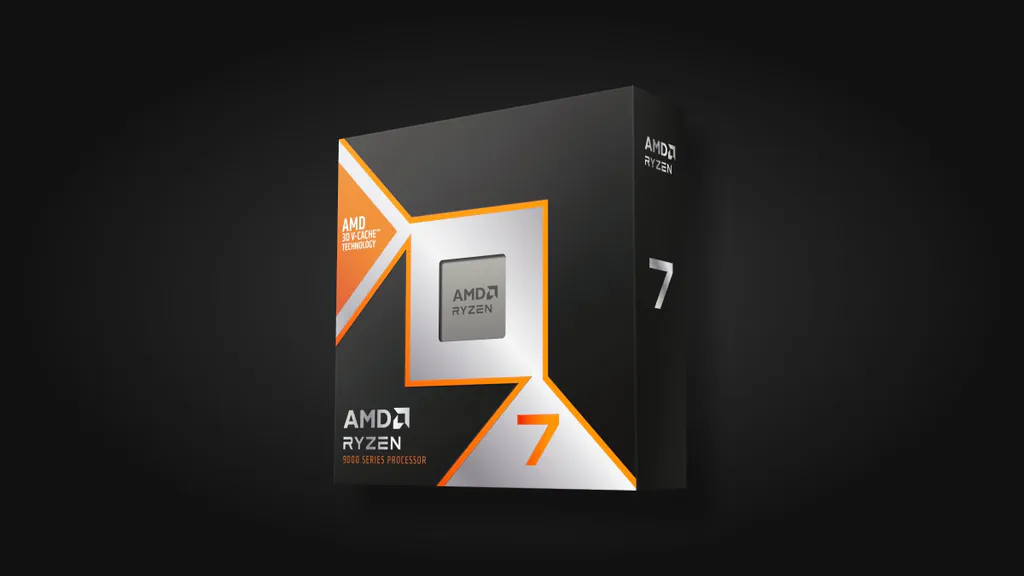
AMD Ryzen 7 9800X3D
The clean choice for high-FPS gaming, especially when you care about fan noise, small cases and not wasting money on extra cores games barely use.
- Best for: high-FPS gaming, compact gaming PCs, quiet enthusiast builds
- Platform: AM5
- Role in this guide: default gaming-efficiency pick
- You want high-FPS gaming with a strong GPU
- You care about fan noise and frame times
- Your games benefit from strong CPU/cache behavior
- You play mostly GPU-bound 4K
- You use a budget GPU and need money elsewhere
- You need the PC mainly for workstation cores
Live Value Analyzer (Gaming Preset)
This real-time tracker uses our Gaming preset. It heavily weights CPU gaming frame rates and frame times. We use this preset because the 9800X3D's 3D V-Cache is designed purely for gaming. Evaluating it under a standard productivity or raw-wattage preset would underestimate its value in games, where it runs extremely fast at modest power draws. A Value Score of 80+ means it is selling close to MSRP and represents a good deal. If it's below 80, consider stepping down to a Ryzen 5 7600 or 9600X to save budget for a stronger GPU.
The Ryzen 7 9850X3D is faster on paper and can be the right buy when pricing is close. But it is not automatically the more efficient recommendation. Independent testing has shown that the performance gain can be small compared with the extra gaming power draw.
Price rule: consider the 9850X3D only when it is roughly within 10–15% of 9800X3D pricing and the rest of your build is already balanced. Skip it if the money would improve your GPU, monitor, SSD, memory or cooling more.
Value gaming rule: step down before you step up. A Ryzen 5 7600 or Ryzen 5 9600X can be the smarter whole-PC choice if the graphics card, monitor, RAM or SSD still need budget.
Mixed gaming-and-work rule: step up to Ryzen 9 only when the work part is real. Do not buy workstation cores just because the PC also opens a browser, Discord and a launcher.
Best Quiet Workstation CPU: Ryzen 9 9950X With Power Limits
Workstation buyers often need cores. The trick is not pretending those cores are free.
The Ryzen 9 9950X is a strong creator, compile, render and production CPU when the workload really uses 16 cores. But the efficient version of this CPU is not always “unlocked and chasing the last benchmark point.”
Eco Mode and sensible motherboard power limits can stop the CPU from chasing its hottest, least efficient boost behavior. You may give up some peak benchmark score, but the machine can become cooler, quieter and more repeatable during long jobs.
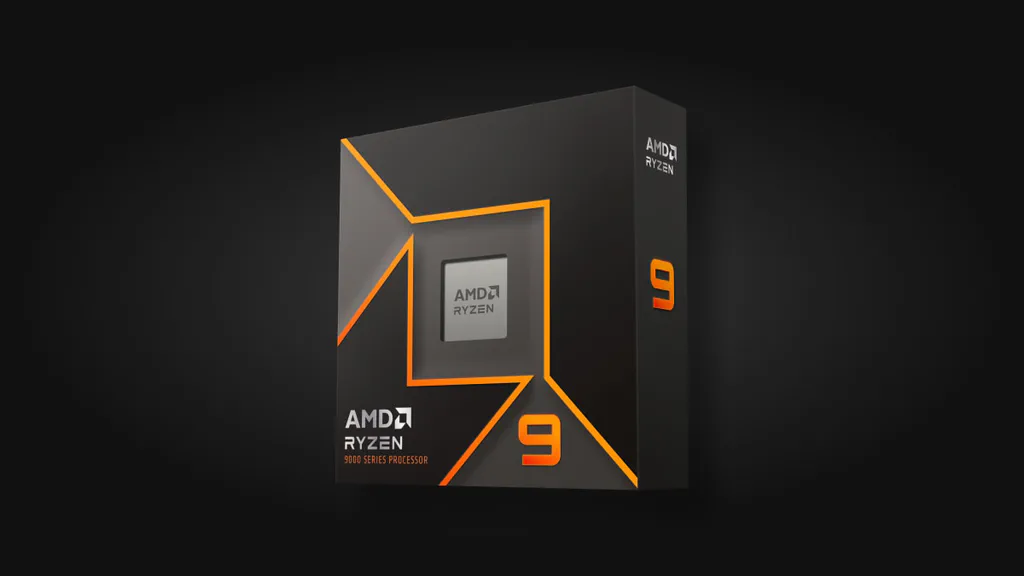
AMD Ryzen 9 9950X, tuned sanely
A strong creator, render, compile and workstation CPU when you use Eco Mode or sensible motherboard limits instead of chasing the hottest boost behavior.
- Best for: sustained renders, compiles, exports, creator workloads, production tasks
- Platform: AM5
- Role in this guide: high-throughput CPU that should be tuned, not blindly unleashed
- You run sustained work often enough to earn the cores
- Finished-task time matters
- You want strong throughput with manageable noise
- The PC mostly browses, games or waits idle
- Your workload cannot use many cores
- You only need occasional light editing
Live Value Analyzer (Productivity Preset)
This real-time tracker uses our Productivity preset. It focuses on multi-threaded compute power, rendering speeds, and file export performance. We use this preset because this 16-core flagship is designed for workstations. This ensures the value score represents its performance per dollar in professional tools (e.g. Blender, Cinebench, compiling) rather than gaming. A Value Score of 80+ is a comfortable buy. If it's below 80, evaluate whether Eco Mode (e.g. running at 65W/105W) or choosing an 8-core CPU saves enough platform and cooling budget without impacting your work.
Efficiency gets interesting on fixed work. A flagship CPU can be wasteful at aggressive defaults and much better when limited intelligently. The right question is not “which CPU has the lowest label?” It is:
Which CPU produces the finished file with the least wasted time, heat and energy?
Power-limit rule: do not judge a workstation CPU from a one-second peak benchmark. Run your real workload for at least 10 minutes, then watch average power, temperature, fan noise and repeatability.
Buying rule: choose 9950X when the work saves meaningful time every week. If the workload is occasional, a Ryzen 7-class CPU, cloud render, rental machine or simply keeping the current PC may be smarter.
Best Local AI and Development CPU: Ryzen 7 9700X
For local AI and LLMs, the CPU is often the supporting actor.
The star is usually GPU memory.
That is why the Ryzen 7 9700X is the sane default CPU lane for many local AI and development desktops. It is efficient, modern, strong enough for a balanced AM5 system, and it keeps more of the budget available for GPU, VRAM, RAM and storage.
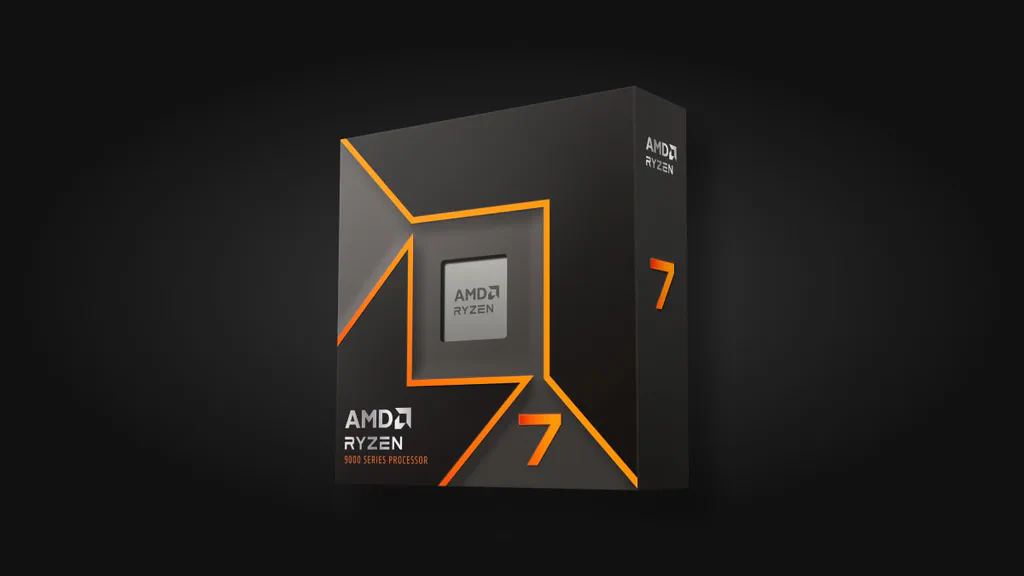
AMD Ryzen 7 9700X
A cool 8-core CPU that leaves more of the build budget for the GPU, RAM and storage that matter most in many local AI and development setups.
- Best for: balanced AM5 local AI/dev builds where the GPU does most of the AI work
- Platform: AM5
- Role in this guide: efficient support CPU, not a brute-force CPU-inference pick
- Your AI workload is mostly GPU-bound
- GPU and VRAM budget matter more than CPU cores
- You want a cool balanced desktop
- You compile, preprocess or render heavily every day
- You run CPU inference or many CPU-heavy services
- You need workstation-class throughput
Live Value Analyzer (Developer Preset)
This real-time tracker uses our Developer preset. It balances single-core speed (IDE responsiveness), compilation performance, and memory bandwidth while keeping power limits modest. We use this preset because the 9700X serves as a balanced developer desktop CPU, leaving room in the budget for the large RAM and high-VRAM GPU needed for local AI. Developers should aim for a score of 80+ to get a fair price. If it is overpriced, look at the Ryzen 5 9600X as a temporary placeholder, protecting your budget for GPU memory (VRAM).
A stronger CPU will not compensate for too little VRAM. If your local LLM plan depends on a graphics card, protect that budget first. Also protect RAM and fast storage, because model loading, datasets, containers and development tools can make a “cheap” build feel bad fast.
Step-up rule: move to Ryzen 9 only when you can name the CPU-side bottleneck: compiling, preprocessing data, CPU inference, rendering, many services, virtualization or mixed creator work.
Step-down rule: for lighter development, a Ryzen 5 9600X can be enough if it keeps the whole build balanced.
If you are still mapping the whole PC, pair this section with our custom PC build templates and 1440p graphics card guide. The CPU only makes sense inside the whole machine.
Task Energy: The Trick Most CPU Lists Miss
Low power is not the same as low energy. Power is the rate. Energy is power over time.
That matters when the job has a finish line. If CPU A uses 65W for 60 minutes and CPU B uses 140W for 20 minutes, CPU B is not automatically worse. If it finishes the export, compile or render and returns to a 35W idle state while CPU A keeps working, the faster chip can use less energy for the same output.
Task energy calculator
Compare two CPUs by the energy needed to finish the same job. The faster chip may use more watts while working, then spend the saved time at idle.
Use measured wall power or repeatable package-power data when possible. The calculator is a planning model, not a lab result.
Use this idea carefully. For a machine that idles for days, idle watts dominate. For a machine that finishes paid work, task energy and time saved can dominate. For a gaming PC, the GPU and monitor often decide whether a premium CPU does anything useful.
Interactive Build Planner
The calculator below is still useful after the picks, not before them. Use it when you already know the lane and want to model yearly cost, payback and platform reality.
CPU efficiency planner
Pick the kind of PC, adjust the watts and see whether a quieter, lower-power route saves enough money and heat to matter. This is a buying model, not a lab benchmark.
Always-on systems are where small watt differences become visible. Change the numbers to match your wall-meter or UPS reading.
A cheap old tower can lose the deal at idle if it burns power all week and needs loud cooling.
- N-series mini PC
- Excellent idle route; verify ports, drive bays, cooling, BIOS support and power adapter quality.
- AM5 APU desktop
- Good when it removes a discrete GPU. Check display outputs, RAM speed and motherboard idle behavior.
- High-end desktop board
- Can erase part of the CPU win through chipset, NIC, USB, RGB and add-in idle draw.
- Set a sane power limit or Eco Mode before judging noise.
- Run the real workload for at least 10 minutes, not one burst score.
- Watch fan noise, temperature and repeatability, not just peak numbers.
- Keep the GPU, storage and monitor budget alive if the CPU is not the bottleneck.
Cost of Ownership: Where Watts Actually Matter
Saving 40 watts in a gaming PC that runs a few hours a night is nice. Saving 60 or 80 watts in a server that runs 24/7 is a different story.
This example uses a rounded U.S. electricity assumption of $0.18 per kWh. Your real rate may be lower or much higher, but the shape of the decision stays the same.
Two-year electricity savings by scenario
The point is not that every upgrade pays for itself. The point is that watts mean different things in different rooms. For a gaming PC, efficiency is mostly about comfort: lower heat, quieter cooling, smaller cases and fewer annoying fan spikes. For a 24/7 server, efficiency can become real money.
Evidence Table: What Each Pick Is Really Good At
This guide does not ask you to trust CPU branding. It asks you to match the evidence to the job.
A gaming CPU should be judged by frame rate, frame time, CPU package power and thermals. A home server should be judged by whole-system idle draw, including the adapter, NICs, drives and BIOS behavior. A workstation CPU should be judged by fixed-work energy: how much power it uses to finish the actual task.
| Lane | Default pick | Official baseline | Evidence type that matters | Why it wins | Main trade-off |
|---|---|---|---|---|---|
| 24/7 home server / NAS | Intel N100/N150 first; N305 if you need headroom | Intel Processor N100 is a 4-core 6W-class part; Core i3-N305 is an 8-core 15W-class part. | Whole-system idle and appliance behavior: NICs, storage, adapter, BIOS and fan profile. | A server that idles all year rewards low platform draw more than peak CPU speed. | Weak for heavy VMs, CPU transcoding, rendering or local AI. |
| Office / no-GPU desktop | Ryzen 7 8700G or Ryzen 5 8600G when AM5 desktop flexibility matters | Ryzen 7 8700G is an 8-core, 16-thread 65W APU with Radeon 780M graphics. | Integrated graphics capability, platform cost, display needs and whole-build simplicity. | It removes the discrete GPU for a normal desktop while keeping replaceable AM5 parts. | Too expensive if a simple mini PC does the job; weaker CPU path than non-APU Ryzen when a dGPU is planned. |
| Compact gaming | Ryzen 7 9800X3D; check 9850X3D only if price is close | AMD lists both 9800X3D and 9850X3D in the 8-core Ryzen 9000 X3D family. | Game frame rate, frame time, CPU package power and GPU balance. | 3D V-Cache keeps many games fast without needing a hotter many-core desktop CPU. | Not a file-server CPU and not automatically worth a premium over cheaper Ryzen 5/Ryzen 7 options. |
| Quiet workstation | Ryzen 9 9950X with Eco Mode or sane motherboard limits | Ryzen 9 9950X is a 16-core, 32-thread AM5 CPU with a 170W default TDP. | Fixed-work energy, sustained throughput, thermals and noise after several minutes. | A fast CPU can be efficient when it finishes useful work quickly and avoids wasteful unlocked behavior. | Bad value if the workload does not use the cores every week. |
| Local AI / development | Ryzen 7 9700X unless CPU-side work is real | Ryzen 7 9700X is an 8-core, 16-thread Ryzen 9000 CPU with a 65W default TDP. | GPU-bound versus CPU-bound workflow, VRAM budget, RAM and storage pressure. | It leaves money and power budget for the GPU/VRAM that often decide local AI usability. | Step up if you compile, preprocess, render or run CPU inference heavily. |
How to Choose Without Getting Lost
Use this sequence before buying:
- Decide whether the PC is mostly idle, mostly gaming, mostly office work or mostly sustained compute.
- Pick the lane from the table above.
- Check the whole platform: motherboard, memory, cooler, case, power supply and storage.
- Compare live prices only inside the correct lane.
- Spend extra only when it solves a real problem you can name.
That last line matters. “More efficient” is not a mood. It should solve something: a hot office, a loud case, an expensive 24/7 server, a small room, a workstation that throttles, or a build budget that needs to protect the GPU.
Do The 10-Minute Efficiency Check
Before you buy, run the decision through the way the PC will actually live. This catches most bad “efficient” purchases.
| Question | What to check | Bad sign |
|---|---|---|
| Will it run 24/7? | Compare idle draw, not only peak draw. If possible, check wall-power reports for the whole box, including drives, NICs and power adapter. | An old tower looks cheap, but idles high and needs loud fans all week. |
| Is it mostly a gaming PC? | Match the CPU to the GPU and monitor. At 1440p or 4K, the GPU usually decides more than a premium CPU upgrade. | You spend flagship-CPU money while the graphics card, SSD or monitor is still the real bottleneck. |
| Is it a work machine? | Look for sustained performance with power limits, not one burst benchmark. A 10-minute render, compile or export tells more than a peak score. | The chip is fast only when the fans are loud and the case is heat-soaked. |
| Does it need integrated graphics? | Check the motherboard display outputs, monitor count and codec needs before buying an APU or mini PC. | The CPU is efficient, but you add a discrete GPU just to support the display setup. |
| Can the platform stay quiet? | Budget for the cooler, case airflow, BIOS fan curve and power supply. Efficiency dies quickly in a cramped or noisy build. | The CPU is sensible, but the case, cooler or board makes it run hot anyway. |
| Is the CPU the bottleneck? | Watch real workload behavior. | You upgrade the CPU while RAM, SSD, GPU or VRAM is the real problem. |
For a 24/7 server, a cheap plug-in power meter or smart plug is enough to learn a lot after the build is running. For a gaming or workstation PC, use HWiNFO, Ryzen Master, Intel XTU, motherboard software or your normal monitoring tool to watch package power, temperature and fan behavior during the workload you actually care about. You are not trying to become a lab. You are checking whether the machine stays quiet, stable and reasonable in your room.
Run your own numbers. Every pick above is a starting lane, not a religion. Prices move weekly, and the right answer depends on your budget and priorities — the live table recalculates value for both:
Why Intel Desktop Is a Watchlist, Not a Default Pick
Intel is not ignored in this guide.
Intel is already the first place we look for small always-on boxes, because N100 / N150 / N305 class hardware can be excellent for home servers, NAS builds and light services.
For mainstream desktops, the answer is narrower.
Core Ultra 200S Plus chips such as the Core Ultra 5 250K Plus and Core Ultra 7 270K Plus are real products, and independent reviews now exist. They deserve attention, especially when live pricing is strong and the workload benefits from Intel’s multi-threaded profile.
But that does not automatically make them the default efficient gaming route.
For this article’s quiet high-FPS gaming lane, the Ryzen 7 9800X3D remains the cleaner default because gaming performance, power behavior, AM5 runway and total platform value line up well. Intel’s newer desktop chips should be considered when your apps, price, motherboard choice and cooling plan make the case.
Intel rule: use Intel N-series for the small always-on box. Consider Core Ultra desktop when your software benefits from it. Do not buy Intel desktop as the default efficient gaming CPU unless live pricing and workload evidence prove it.
What Not to Buy
When to Wait and When to Replace
Waiting is reasonable when your current PC is already quiet, your GPU is the bottleneck, your office machine feels fine, or the electricity difference is tiny.
Waiting is less reasonable when an old server runs 24/7, a family desktop is loud in a shared room, or a workstation throttles during paid jobs.
The practical rule is simple:
If the upgrade only changes a benchmark, wait. If it changes comfort, reliability, running cost, task time or the whole build budget, price the new lane seriously.
Watchlist: Ryzen 7 7700X3D
AMD announced the Ryzen 7 7700X3D as a lower-cost AM5 X3D chip with July 2026 availability. It could become a strong value gaming-efficiency option, but this guide should not replace the Ryzen 7 9800X3D recommendation until independent tests show FPS-per-watt, thermals and real street pricing.
Watchlist: Intel Core Ultra 200S Plus
The Core Ultra 5 250K Plus is more interesting for this guide than the hotter 270K Plus route, but both should be checked against live prices, motherboard cost, cooling needs, app behavior and platform runway.
How We Made This Guide
This is a source-led buying guide, not a private lab benchmark.
We use official CPU pages to confirm model names, launch timing, core counts, TDP class and platform details. We use independent testing to understand power behavior, thermals, gaming performance and workstation behavior. Then we turn that evidence into buying lanes.
The most important distinction is measurement type:
| Term | What it tells you | What it does not tell you |
|---|---|---|
| TDP | Cooling category / product class | Your actual electricity bill |
| CPU package power | CPU-side draw during a task | Whole-system wall power |
| Wall power | What the full PC pulls from the outlet | Which component caused the draw |
| Idle power | What the machine uses while waiting | How fast it finishes work |
| Fixed-work energy | Energy used to finish a real task | Peak benchmark bragging rights |
| FPS per watt | Gaming efficiency signal | Whether your GPU or monitor is the real bottleneck |
A CPU can be “low power” and still be the wrong efficient choice if it runs too slowly, forces extra parts into the build, or sits inside a platform that wastes power elsewhere.
Overall efficiency fit by CPU lane
The Intel Core Ultra 200S Plus chips are real products, and early independent reviews now exist. This guide still does not move them into a default efficient-desktop pick until they beat the AMD AM5 route on total platform value, upgrade runway and the exact power behavior that matters in our lanes.
What Changed in This Update
- Restructured the guide so the CPU picks start right after the Buy/Skip matrix; the evidence map and methodology now follow the picks instead of delaying them, and a duplicate summary table and scorecard were removed.
- Each pick now carries a live value widget (The Comparator) with current in-stock offers, a value score for that pick’s use case and a visible data date; live-table links were added for readers who prefer numbers over prose.
- AMD’s AM5 platform support now has a longer official runway, which makes an AM5 desktop route more attractive when you care about future upgrades.
- Ryzen 7 9850X3D exists, but it does not erase the 9800X3D recommendation. It becomes a price-gap decision.
- Intel Core Ultra 200S Plus now has independent review coverage; we moved it to a real watchlist, not a default pick.
- Ryzen 7 7700X3D is now on the gaming-efficiency watchlist until independent FPS-per-watt and price data arrive.
- The guide now treats fixed-work energy as a first-class decision, not a footnote.
Sources and Context
Specs, source links and recommendation scope were last checked on June 5, 2026. Prices, rebates, stock and retailer return policies can change faster than benchmark conclusions.
Official CPU Specs
Use official AMD and Intel product pages for model names, core counts, TDP class, platform details and launch timing.
Recommended source links:
- AMD Ryzen 7 8700G product page
- AMD Ryzen 7 9700X product page
- AMD Ryzen 9 9950X product page
- AMD Ryzen 7 9800X3D product page
- AMD Ryzen 7 9850X3D product page
- Intel Processor N100 product page
- Intel Core i3-N305 product page
- Intel Core Ultra 9 285K product page
- Intel Core Ultra 200S Plus briefing
Platform and Watchlist Context
Use AMD’s Computex 2026 update for AM5 support-through-2029 and Ryzen 7 7700X3D launch context.
Recommended source links:
Independent Gaming and Desktop Tests
Use independent reviews for gaming behavior, CPU package power, thermals, frame rates and value comparisons.
Recommended source links:
- PC Gamer Ryzen 7 9850X3D review
- GamersNexus Ryzen 7 9800X3D testing
- TechSpot Ryzen 7 9800X3D review
- ComputerBase Core Ultra 250K Plus / 270K Plus review
- Tom’s Hardware 9800X3D versus Core Ultra 9 285K comparison
- Tom’s Hardware / TechSpot / AnandTech Ryzen 8700G reviews
Workstation and Power-Limit Tests
Use workstation-focused testing for fixed-work energy, sustained power behavior and power-limit trade-offs.
Recommended source links:
Mini-Server and NAS Context
Use platform reviews that look at networking, storage layout, adapters, BIOS, fan behavior and whole system power instead of CPU names alone.
Recommended source link:
Electricity Price Source
The cost examples use a rounded $0.18/kWh planning number.
Recommended source links:
FAQ
What is the best energy-efficient CPU to buy in 2026?
There is no single best CPU for every build. Start with Intel N100, N150 or N305 class hardware for 24/7 home servers, Ryzen 7 9800X3D for efficient gaming, Ryzen 7 8700G for no-GPU office desktops, Ryzen 9 9950X with sensible power limits for workstation tasks, and Ryzen 7 9700X for balanced local AI and development builds.
Is a low-TDP CPU always more efficient?
No. TDP is a cooling category, not a full electricity bill. A "low-TDP" chip can be inefficient if it takes too long to finish work, while a faster CPU can be efficient when power-limited sensibly.
What is the best CPU for a low-power home server?
For many home users, start with Intel N100, N150 or N305 class hardware. It is not the fastest route, but it is usually the right place to begin for always-on storage, sync, media and lightweight services.
What is the best efficient gaming CPU?
For a new high-FPS gaming build, we would price the Ryzen 7 9800X3D first. Budget builds can step down to Ryzen 5 7600 or Ryzen 5 9600X. Mixed gaming-and-work systems can justify Ryzen 9 only when the work is real.
Should I buy Ryzen 7 9850X3D instead of 9800X3D?
Only if the price gap is small and the rest of your build is already balanced. For most gaming-efficiency buyers, the 9800X3D is the calmer default because the 9850X3D's small frame-rate gain can come with much higher gaming power draw.
Should workstation buyers use Eco Mode?
Often, yes. Eco Mode or sensible power limits can reduce heat and noise while keeping most of the useful throughput. Test stability after changing power behavior, especially on paid work machines.
Does CPU choice matter for local LLMs?
Yes, but not always first. If your workload runs on a GPU, VRAM and GPU choice usually matter more. Buy a stronger CPU when you also compile, preprocess data, run many services or use CPU-heavy tools.
Is Ryzen 7 8700G the best office CPU?
It is a good no-GPU AM5 desktop CPU, not the universal office answer. If a simple mini PC handles the workload for less, buy the mini PC. Choose the 8700G when desktop expandability and integrated graphics both matter.
Should I wait for Ryzen 7 7700X3D?
Wait only if you are not in a hurry and you want a possible value X3D gaming option. Do not replace the 9800X3D recommendation until independent tests show FPS-per-watt, thermals and real street pricing.
Is Intel bad for energy-efficient desktops?
No. Intel N-series hardware is one of the best starting points for small always-on systems. Core Ultra desktop chips can also make sense for specific workloads and prices. They are simply not the default quiet high-FPS gaming pick in this guide.
What should I check before buying?
Check the exact model, seller, condition, warranty, return window, motherboard compatibility, BIOS support, cooler, case airflow, memory requirements and whether the CPU is actually the bottleneck.
Shopping note: prices and availability can change quickly. Check the exact model, seller, condition, warranty, and return window before buying.