How to Use a VPN on PS5 and Xbox Without Breaking Multiplayer
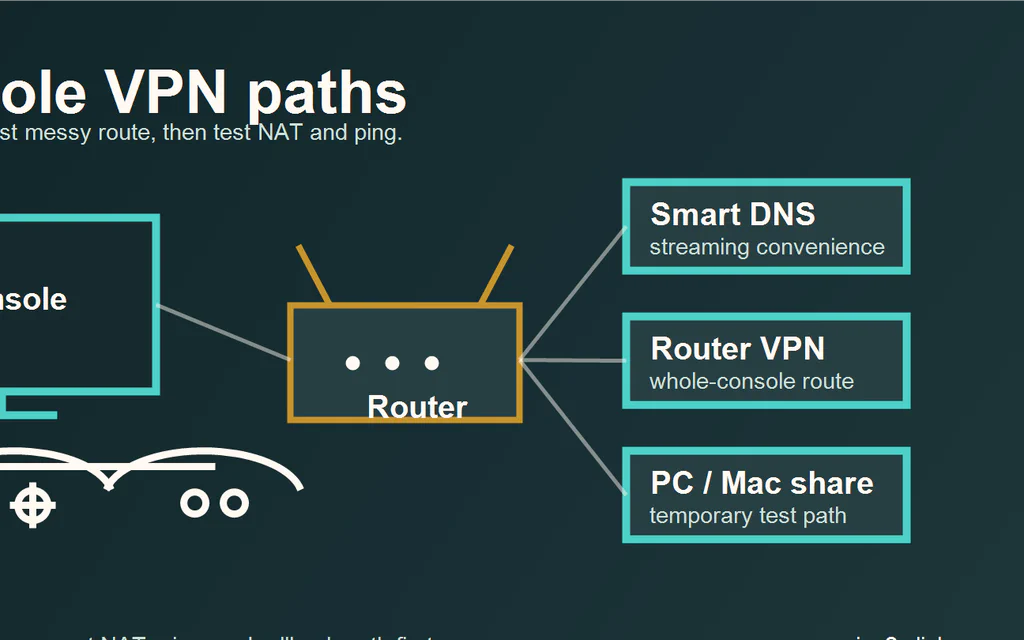
PS5 and Xbox do not run normal consumer VPN apps. You cannot open the PlayStation Store or Xbox store, install NordVPN, Surfshark, or ExpressVPN, and protect the console the same way you would protect a phone or laptop. That does not mean you have no options. It means the VPN has to sit somewhere else: in DNS settings, on the router, or on a computer sharing its connection. For most people, the honest answer is: Do not use a VPN for normal multiplayer unless you have a clear reason. It often adds routing complexity, and it can make NAT, party chat, matchmaking, or ping worse. Use Smart DNS for streaming-app convenience, not privacy. It changes DNS behavior for supported services, but it is not an encrypted VPN tunnel. Use a router VPN only if the router officially supports VPN client profiles and you know how to turn it off. This is the cleanest full-network method, but it can affect the whole house. Use PC/Mac sharing as a temporary test. It is useful for proving a setup before buying hardware, but it is not the nicest long-term console setup. The goal is not to force a VPN onto the console. The goal is to pick the least annoying method for the problem you actually have. ...