
If you want the safest camera-phone choice, do not start with megapixels. Start with the shot you keep missing.
For most U.S. buyers, the first shortlist is simple: iPhone Pro if video and Apple sharing matter most, Pixel Pro if you want easy point-and-shoot stills, Galaxy Ultra if zoom and Samsung comfort matter, OnePlus 15 if you want a strong Android alternative with a battery/performance angle, and Xiaomi/Oppo/Vivo-style imports only if you know exactly what warranty, carrier and seller risk you are accepting.
That is the shape of this guide: choose the camera system that fits your real life, then check the exact phone, seller and return window before keeping it.
Start Here
Use this as the fast buying map before you read camera samples, watch YouTube comparisons or stare at spec sheets.
- Family video, social clips, travel reels: open iPhone 17 Pro / Pro Max first. Apple’s strength is predictable video, simple sharing and a camera app that rarely asks normal people to think. In the U.S., also remember the iPhone lane is eSIM-only.
- Photos that usually look right without editing: open Pixel 10 Pro / Pro XL first. Pixel is the Android lane for faces, HDR, night shots and AI-assisted cleanup, but its advantage is mostly processing and consistency rather than a dramatic hardware leap.
- Zoom, Samsung software and a large mainstream flagship: open Galaxy S26 Ultra first. Samsung is the versatile “does everything” lane, especially if distance, portraits and a big viewfinder are part of your daily shooting.
- A high-end Android alternative: open OnePlus 15 first. It is the battery/performance lane with good cameras, not the safest camera-first pick for every buyer.
- Camera-hardware excitement: research Xiaomi 17 Ultra or similar global flagships only if you are comfortable with import, warranty, bands, IMEI compatibility and return risk.
- Before money leaves your account: check the exact return window, carrier/unlocked status, warranty route and seller policy. A great camera does not rescue a vague listing.
If your real limit is price, jump to our budget camera phone guide instead. A cheaper phone can be the better buy if you mainly shoot kids, food, pets, receipts and travel snapshots. If you are starting to want lenses, a viewfinder and a more deliberate shooting habit, use our first camera guide instead of forcing a phone to become a hobby camera. If the phone is already good enough and your weak point is the edit, our free photo editing apps guide is the more useful next read.
Interactive Flagship Camera Matcher
Quickly find which flagship camera system fits your photography and video habits:
Which Flagship Camera Fits Your Shooting Style?
Select your primary shooting goal, software ecosystem, and purchase preferences to see your tailored recommendation.
The Picks
These are the buying lanes I would open first. The value here is not a lab score or a live deal claim. It is the practical match between camera behavior, daily use, seller risk and the kind of photos or videos you actually keep.
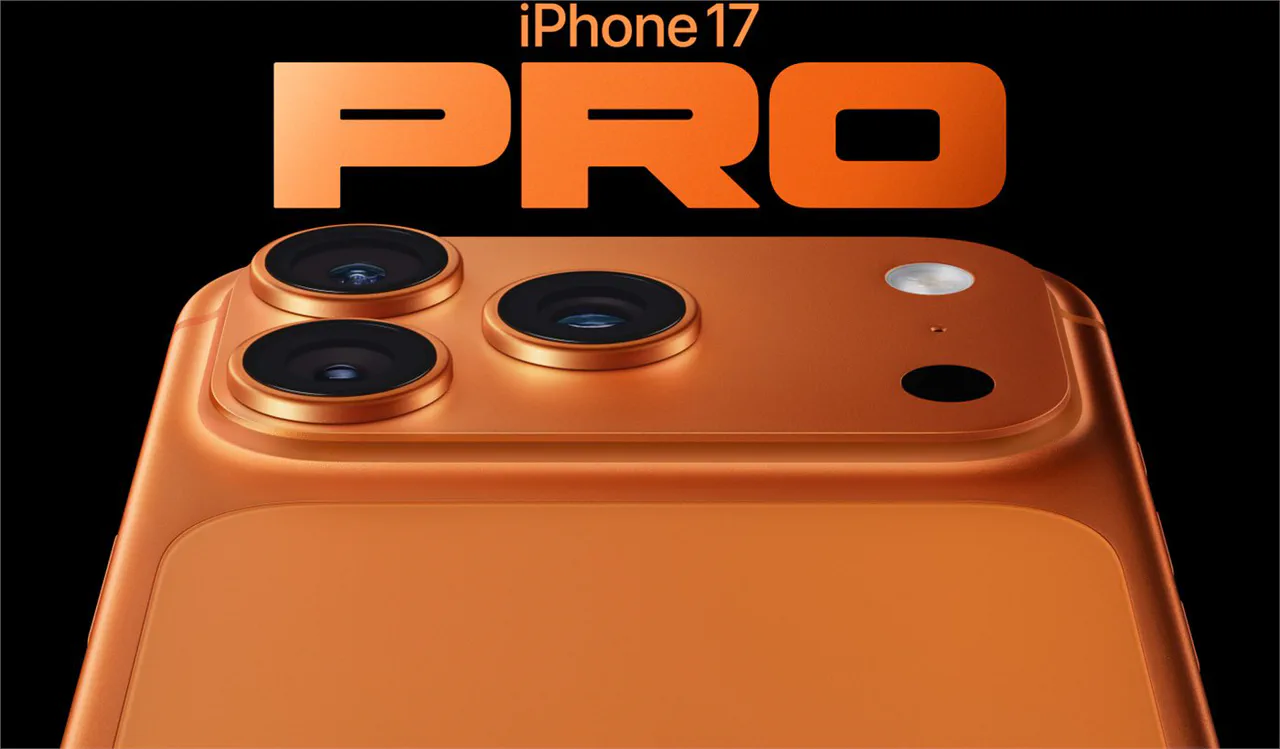
iPhone 17 Pro / Pro Max
Start here if the phone is your family camera, travel video camera and social-posting camera. The iPhone lane wins when the whole path matters: record, send, post, back up and find the clip later.
- Video-first
- Apple workflow
- Easy sharing
- Strong resale
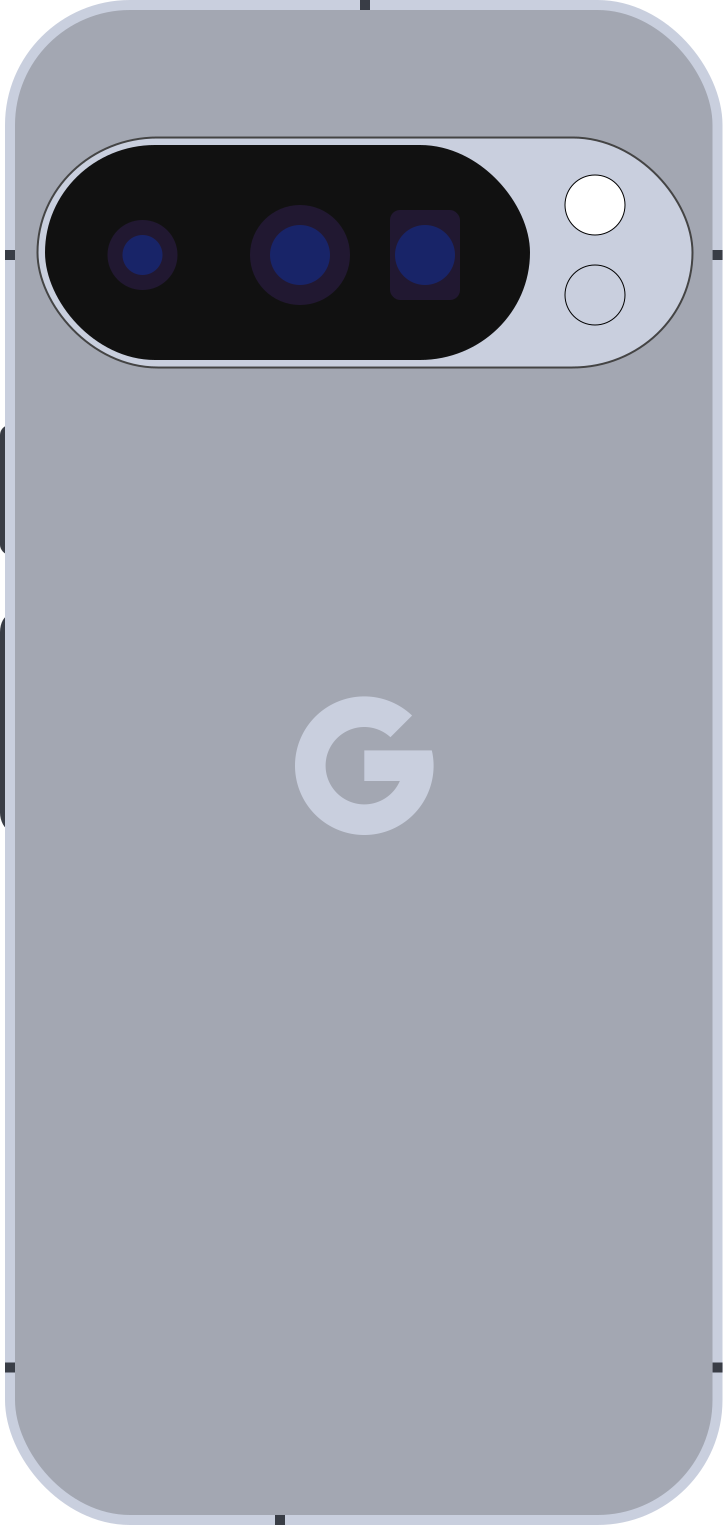
Pixel 10 Pro / Pro XL
Open the Pixel lane if your real complaint is, "I do not want to edit; I just want faces, night shots and quick photos to come out usable."
- Point-and-shoot
- Faces and HDR
- AI cleanup
- Android without Samsung

Galaxy S26 Ultra
Choose the Ultra if distance is part of your camera problem: school events, travel details, pets across the room, stage photos, signs and anything where normal phones run out of reach.
- Zoom-first
- S Pen
- Large screen
- Samsung ecosystem
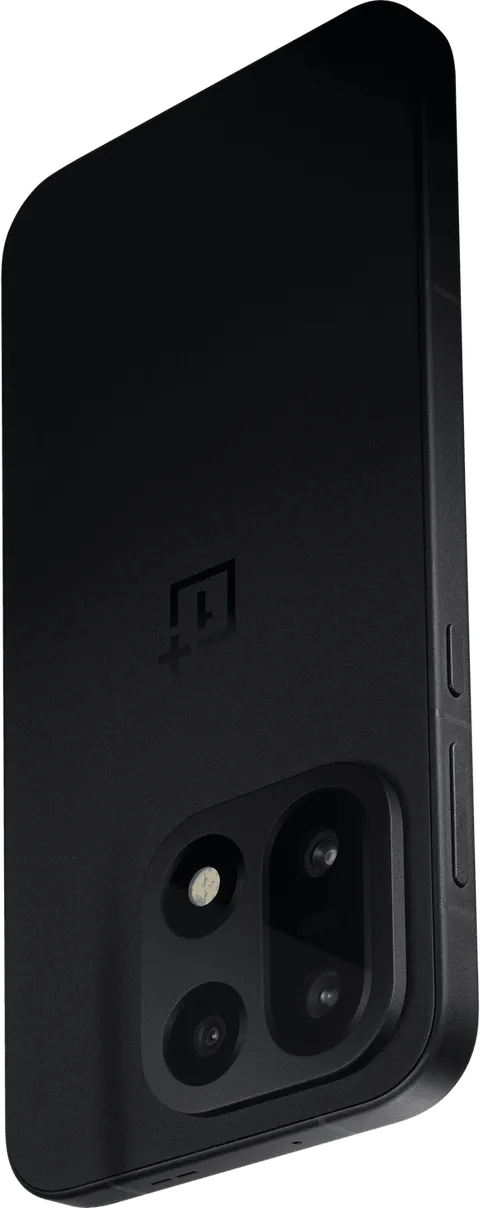
OnePlus 15
This is the lane for someone who wants a fast high-end Android phone with good cameras, but does not want the conversation to stop at Samsung versus Pixel.
- Flagship Android
- Battery/performance
- Action value
- Non-Samsung route
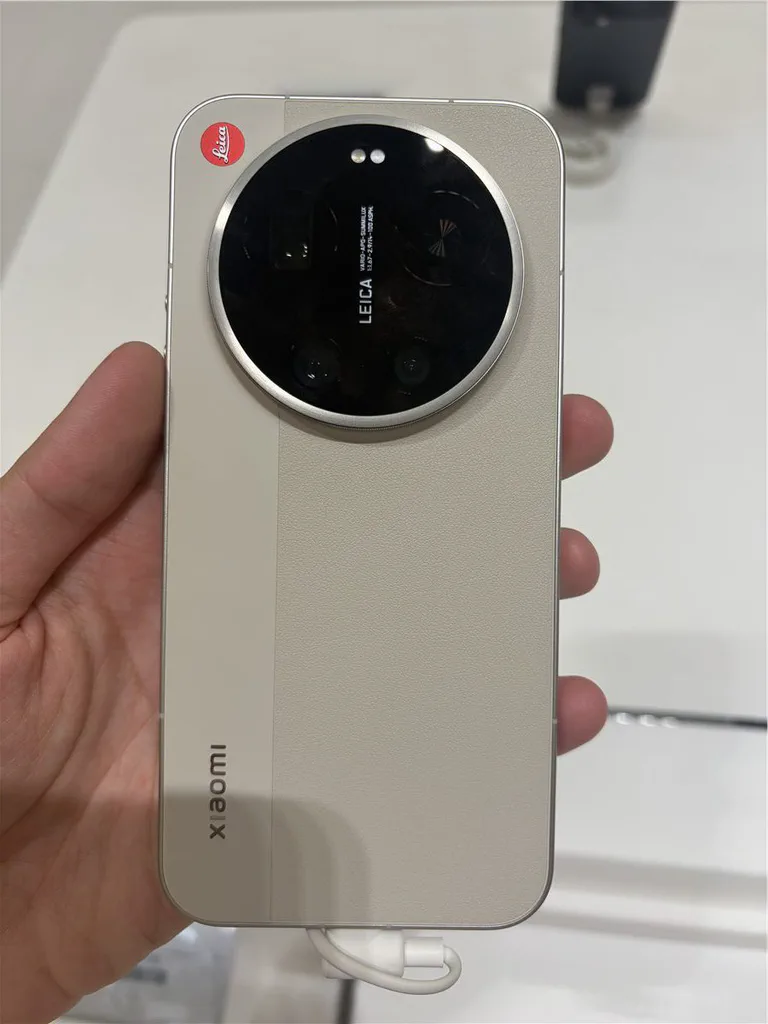
Xiaomi 17 Ultra and similar global flagships
Research this lane if camera hardware excites you and you are comfortable checking bands, warranty, seller route, returns and Google/carrier behavior before money leaves your account.
- Camera-first hardware
- Import risk
- Leica lane
- Enthusiast pick
Flagship Camera Systems Compared
To evaluate these camera systems on real engineering merits rather than marketing hype, this comparison table breaks down their primary sensors, optical zoom capabilities, and video features:
| Smartphone | Primary Sensor & Optics | Telephoto & Zoom | Video & Pipelines | Key Advantage | Main Trade-Off |
|---|---|---|---|---|---|
| Apple iPhone 17 Pro / Pro Max | 48 MP Fusion (1/1.28", f/1.78, 2nd-gen Sensor-Shift OIS) | 48 MP 5x Tetraprism (120mm, 3D OIS) + 48 MP Ultra Wide | 4K120 Dolby Vision, ProRes Log, ACES, direct external SSD | Flawless video predictability & seamless Apple ecosystem workflow | Expensive storage tiers; digital zoom falls behind beyond 10x |
| Google Pixel 10 Pro / Pro XL | 50 MP (1/1.31", f/1.68, Dual-Pixel OIS) | 48 MP 5x Periscope (120mm, OIS) + 48 MP Ultra Wide | 4K60 HDR, Night Sight Video, Audio Magic Eraser | Effortless point-and-shoot stills; unmatched skin tones & Zero Shutter Lag | Modest charging speed (30-37W); extreme digital zoom relies heavily on AI |
| Samsung Galaxy S26 Ultra | 200 MP ISOCELL HP2 (1/1.3", f/1.7, OIS) | 50 MP 5x Periscope (OIS) + 10 MP 3x Portrait Tele + 50 MP UW | 8K30, 4K120 HDR10+, Director's View | Unrivaled zoom versatility (3x to 100x) & S Pen wireless remote trigger | Punchy stock colors; indoor low-light shutter speeds can cause motion blur |
| OnePlus 15 | 50 MP Sony LYT-808 (1/1.4", f/1.6, OIS) | 50 MP 3x Periscope (70mm, OIS) + 50 MP Ultra Wide | 4K60 Dolby Vision, 8K24, Hasselblad Master Mode | Hasselblad portraits, Snapdragon 8 Elite speed, 6000mAh battery & 100W charge | Optical zoom maxes out at 3x; selfie video and stabilization trail iPhone |
| Xiaomi 17 Ultra | 50 MP 1-inch Sony LYT-900 (stepless aperture f/1.63–f/4.0) | 50 MP 3.2x floating + 50 MP 5x periscope + 50 MP UW | 8K30, 4K120 10-bit Log, Leica color profiles | Genuine optical depth of field (natural lens bokeh) & huge light gathering | Bulky, heavy camera bump; requires carrier band and warranty verification |
Before buying any of these, check the exact storage tier, unlocked/carrier status, return window and seller. Apple, Google, Samsung and OnePlus direct stores all use short return windows, and third-party retailers can be different. A phone can be the right camera and still be the wrong purchase if the listing is vague.
Best For Video And Apple Sharing: iPhone 17 Pro / Pro Max
Choose the iPhone Pro lane if the camera is part of your daily communication, not just your hobby.
That means family videos, quick clips for Instagram or TikTok, school events, AirDrop to a MacBook, shared albums, FaceTime, iMessage, and the comfort of knowing that most apps expect iPhone footage to behave well. The strongest reason to buy an iPhone for camera work is not one spec. It is the whole path after the shutter button: record, edit lightly, send, post, back up and find the clip later.
The evidence-backed claim here is video-first reliability and workflow, not “best still camera for every person.” Independent camera tests and sample reviews still point to iPhone as one of the strongest video choices, while the photo race depends more on scene, color preference and zoom need.
Where it makes the most sense:
- you shoot more video than still photos;
- you share through Apple devices or Apple-heavy family groups;
- you want strong automatic exposure and color without learning a “Pro” camera workflow;
- you care about resale value and mainstream case/accessory support.
Where it can be the wrong lane:
- you want the most zoom reach for the money;
- you prefer Android controls and file handling;
- you do not need Apple sharing and the price jump is painful;
- you only take casual photos and would be happy with a Pixel A-series or a refurbished flagship.
The useful check is simple: record a walking video in the store or during the return window, then send it through the app you actually use. If it looks clean after sharing, the iPhone lane is doing the thing you bought it for. In the U.S., also confirm your carrier/eSIM setup before you assume an old physical-SIM routine will still work.
Best Android Point-And-Shoot Stills: Pixel 10 Pro / Pro XL
Choose the Pixel Pro lane if your complaint is, “I do not want to edit. I just want the photo to come out right.”
Pixel’s appeal is not that every frame looks dramatic. It is that difficult normal scenes often become usable: a face near a window, a kid moving indoors, food under ugly restaurant lighting, a night street, a receipt, a pet on a couch, or a quick photo where you do not get a second chance.
Treat Pixel as the low-friction still-photo lane. The Pro and Pro XL are not a promise that every lens beats every rival; they are a promise that Google’s processing, HDR behavior and editing tools can save a lot of ordinary photos without making you work for it.
Where it makes the most sense:
- you want easy still photos more than cinematic video;
- you like Google’s computational photography look;
- you want Android without Samsung’s heavier ecosystem feel;
- you use AI cleanup tools but still want the original shot to start strong.
Where it can be the wrong lane:
- you want the longest optical zoom reach;
- you want the most “camera-like” manual shooting experience;
- you prefer punchier Samsung-style images right out of the camera;
- you need the cheapest good camera phone, not a premium Pro model.
The return-window test: shoot the same indoor face photo on your old phone and the Pixel. Do not zoom in at 400 percent first. Look at skin, motion blur, background exposure and whether the person looks like themselves. That tells you more than a spec sheet.
Best Samsung And Zoom Lane: Galaxy S26 Ultra
Choose the Galaxy Ultra lane if your camera problem is distance and flexibility.
Samsung is the phone people expect to see in this guide because it is the mainstream Android “do everything” flagship. It usually gives you a large display, a big camera module, strong zoom options, lots of settings, broad carrier availability and the Samsung ecosystem. If you already live in Samsung Notes, Galaxy Watch, DeX, SmartThings or Samsung cloud/sync features, that matters.
The Galaxy lane is strongest when you want Samsung comfort plus reach. Current camera reviews are positive but not unanimous: the Ultra can be very consistent, especially for portraits and zoom flexibility, while some reviewers still prefer iPhone or Pixel behavior for video, low light or less-processed faces.
Where it makes the most sense:
- you often shoot from too far away: school events, travel details, signs, pets, sports, stage photos;
- you want a big screen to frame and review shots;
- you like Samsung’s brighter, punchier camera look;
- you want a mainstream U.S. flagship with easy carrier/store access.
Where it can be the wrong lane:
- you dislike heavy processing or oversaturated color;
- you mostly shoot people indoors and care more about shutter behavior than zoom;
- the price is close to an iPhone or Pixel that fits your real use better;
- you would be happier with a refurbished previous-gen Ultra at a cleaner price.
For Samsung, do not test only daylight buildings. Test a moving person indoors and a 5x/10x zoom shot of readable text. If both look good enough for your life, the Ultra lane is doing its job.
If you use Samsung trade-in offers, decide whether you are keeping the new phone before you mail the old one. Return windows and trade-in processing are part of the purchase risk, not an afterthought.
Best Android Alternative: OnePlus 15
Choose the OnePlus lane if you want a serious high-end Android phone but do not want the default Samsung-versus-Pixel answer.
OnePlus is interesting because it is not just a camera story. It is a performance, battery, charging and value story that now deserves to be in the camera conversation. (If battery drain is a primary concern on your current phone, see our guide on fixing fast battery drain). That does not make it the safest recommendation for every reader. It makes it the lane to open when you want a fast flagship Android with a strong camera system and a different set of tradeoffs.
That wording matters. OnePlus 15 can be the right buy when the whole phone matters, but camera-first reviewers are more mixed here than they are for the iPhone, Pixel, Galaxy and Xiaomi camera-focused lanes. Do not buy it only because a spec row looks good.
Where it makes the most sense:
- you want a flagship Android alternative without paying only for brand comfort;
- you shoot action, travel, pets or everyday clips and also care about battery/performance;
- you like OnePlus software and hardware priorities;
- the current price undercuts the obvious Apple/Samsung/Google routes enough to matter.
Where it can be the wrong lane:
- you want the most familiar U.S. support and store path;
- you prefer Pixel’s computational-photo behavior;
- you want Samsung’s zoom/ecosystem story;
- you are buying for a less technical family member who will never touch camera options.
For OnePlus, the decision is not “is it better than everything?” It is “does this phone give me enough camera for the price, while also giving me the performance and battery story I actually care about?” Check OnePlus’ direct return policy, local support path and inspection requirements before you treat a discount as risk-free.
Best Enthusiast Import Lane: Xiaomi 17 Ultra And Similar Global Flagships
Some camera-phone fans should absolutely look outside the normal U.S. shelf. Xiaomi, Oppo and Vivo often push camera hardware in ways that make enthusiast forums light up: larger sensors, Leica/Hasselblad/Zeiss-style imaging partnerships, aggressive telephoto systems and more camera-first controls.
That does not mean a normal U.S. reader should click “buy” immediately.
For Xiaomi 17 Ultra specifically, the camera-hardware story is serious: the Leica/Xiaomi materials and camera-specialist reviews point to a large main sensor, ambitious telephoto hardware and a more enthusiast shooting feel. The ownership story is the hard part.
This lane makes sense only if you are comfortable checking:
- LTE/5G band support for your carrier;
- warranty route in your country;
- return window and seller reputation;
- whether Google services, banking apps and carrier features work cleanly;
- charger, eSIM, VoLTE, Wi-Fi calling and update expectations;
- whether the phone is a global model, China model or importer-modified listing.
Do not import unless you can verify the exact model, the seller’s return route, warranty eligibility in writing, and IMEI compatibility with your carrier. If any of that sounds annoying, skip the import lane. The photo samples might be gorgeous, but the best camera phone is still a phone you can actually live with.
How To Judge Camera Samples Without Getting Fooled
Camera samples are useful, but they can trick you. A perfect sunset gallery does not tell you how the phone handles your kitchen, your kid’s school concert or your dog moving under bad light.
When you compare reviews or sample galleries, look for these scenes:
- Indoor faces: skin tone, motion blur, harsh window light.
- Moving subjects: pets, kids, cyclists, sports, stage movement.
- Night scenes: streetlights, signs, skin tone in dim light, not just bright city skylines.
- Zoom text: a sign, menu board or license plate-sized detail at 3x, 5x and beyond.
- Food and product shots: close focus, white balance, texture, shadow control.
- Walking video: stabilization, audio, exposure changes, focus pulsing.
- Social sharing: what the clip looks like after Instagram, TikTok, WhatsApp or iMessage compression.
Ignore one-number camera scores when they hide your real use case. A phone can win a score and still lose for you if it misses the thing you shoot every week.
The 15-Minute Return-Window Camera Test
Do this before you commit to a new phone. Apple direct purchases are usually a 14-day return decision; Google Store, Samsung mobile and OnePlus direct purchases are generally short 15-day windows, with details and exceptions by retailer, carrier, promotion and region. Imported phones can be much worse, so read the seller terms before you open the box.
- Put your old phone and new phone side by side.
- Take one indoor face photo near a window.
- Take one photo of a moving person or pet indoors.
- Take one night or dim-room photo.
- Shoot a zoom photo of readable text from across the room.
- Record a 30-second walking video.
- Send the best photo and video through the app you actually use.
- Look at the result on another screen, not only on the new phone.
If the weakness you notice matches your daily life, return the phone. If the weakness is something you almost never shoot, do not overreact to it. If you bought through a trade-in promotion, do this test before mailing your old phone away.
What About Megapixels?
Megapixels matter only after the basics are right.
A high-resolution sensor can help with detail, cropping and certain zoom tricks. But a phone camera is a system: sensor size, lens, stabilization, autofocus, processing, shutter behavior, video pipeline, app behavior and the way the phone handles faces. A calmer 48MP camera can beat a louder 200MP headline if the processing and lens behavior fit your photos better.
Use megapixels as a clue, not a verdict.
Quick Buyer Rules
- If you shoot video first, start with iPhone Pro.
- If you want easy Android photos, start with Pixel Pro.
- If you want zoom and Samsung comfort, start with Galaxy Ultra.
- If you want a strong Android alternative, check OnePlus.
- If you want camera hardware excitement, research Xiaomi/Oppo/Vivo but treat import risk as part of the price.
- If your budget is the main constraint, read the budget camera-phone guide instead of forcing a flagship.
- If a seller, return window or warranty is vague, do not treat the listing as a deal.
Spec Sources And Recheck Notes
Updated 2026-06-01. The recommendation logic above is anchored to official product/spec sources for iPhone 17 Pro, Pixel 10 Pro / Pro XL, Samsung Galaxy S26 Ultra, OnePlus 15, and the Xiaomi/Leica 17 Ultra materials. We also checked independent camera tests and sample-heavy reviews from DXOMARK, Android Central, Digital Camera World, TechRadar, PetaPixel and PhoneArena, plus direct return/warranty and carrier-compatibility guidance from Apple, Google, Samsung, OnePlus, Xiaomi, T-Mobile and Verizon.
Those sources support the lanes, not a universal winner. Price and availability can move quickly. Before buying, check the exact product page, storage tier, unlocked/carrier status, seller, warranty and return window.