
If I were buying a MacBook Air in 2026, I would start with the 13-inch MacBook Air M5 with 16GB of memory and 512GB of storage.
That is the boring answer. It is also the useful answer. The M5 Air is not worth buying because every M4 Air suddenly became slow. It is worth buying because Apple fixed the most annoying base-model compromise: storage. The new Air starts at 512GB, adds Wi-Fi 7 and Bluetooth 6, keeps the fanless body, and still starts in normal MacBook Air territory instead of drifting into MacBook Pro money.
The M4 Air is still a very good laptop. It becomes the smarter buy only when the discount is real enough to matter. A $50 or $100 gap is not enough if you are giving up the M5 model’s 512GB base storage. A $250 to $350 gap can be different. That is the whole game.
The Short Answer
MacBook Air M5 13-inch, 16GB / 512GB
It is the Air I would price first because the base storage is finally comfortable, the size is still travel-friendly, and it avoids the false economy of a barely discounted 256GB M4.
Retailer buttons point to the easiest places to verify these configurations today. The buying logic matters more than the logo on the checkout page: compare chip, memory, storage, screen size, condition and return window before calling anything a deal.
The Comparison That Actually Matters
Use this as the fast filter before you read the model sections:
- If this is your only laptop and you carry it daily, start with the 13-inch M5 Air.
- If you mostly work at a desk without an external monitor, price the 15-inch M5 Air.
- If the M4 is only a little cheaper than M5, skip the deal. The M5’s 512GB base storage matters more than a small discount.
- If the buyer only needs browser, school portals, video calls and documents, compare MacBook Neo honestly.
- If your work has long exports, big code builds, 3D, local AI or real gaming, stop trying to make the Air fit and price a MacBook Pro.
| Model | Best for | Price cue | Main advantage | Reason to skip |
|---|---|---|---|---|
| MacBook Air M5 13-inch | Most buyers, students, travel, everyday work | $1,099 MSRP; better if discounted | 512GB base storage and newest wireless | You need sustained Pro-class performance |
| MacBook Air M5 15-inch | One-screen productivity and writing | $1,299 MSRP; sale-sensitive | More workspace without buying a Pro | You carry it daily and value compact size |
| MacBook Air M4 13-inch | Clearance deals and lighter workloads | Worth chasing below roughly $800-$850 | Still fast, still modern, often discounted | 256GB storage will annoy you |
| MacBook Neo | Lowest-cost new Mac, basic school use | Check live Apple configuration | Cheap entry into macOS | 8GB memory and lower ceiling |
| MacBook Pro | Creators, engineers, long heavy workloads | Higher, but sometimes necessary | Active cooling and stronger displays/options | You mostly browse, write and travel |
Why the M5 Air Is the Default
The strongest reason to buy the M5 Air is not the chip name. It is the full base package.
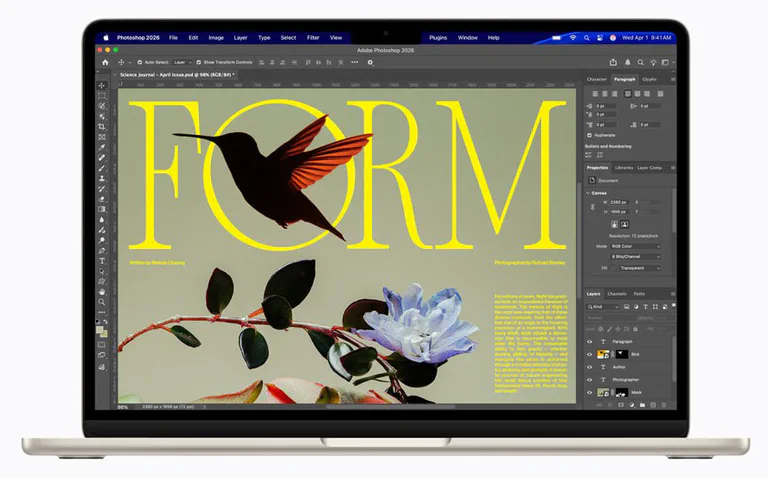
MacBook Air M5 13-inch
This is the MacBook Air I would recommend to most people in 2026. It keeps the Air's best trait - quiet, thin portability - while making the base configuration less cramped.
- M5 chip
- 16GB memory
- 512GB base SSD
- 2.7 lb class
Apple says the M5 MacBook Air starts with 512GB of storage, supports Wi-Fi 7 and Bluetooth 6, uses the M5 chip with faster unified memory, and keeps the same practical Air formula: 13- and 15-inch sizes, Liquid Retina displays, MagSafe, two Thunderbolt 4 ports, 12MP Center Stage camera and up to 18 hours of battery life.
That matters because the old “just buy the base Air” advice was always a little too tidy. The base M4 Air was fast, but 256GB could become a daily irritation. You can survive on 256GB if you live in cloud apps and keep your photo/video library elsewhere. But once you add iPhone backups, Messages attachments, Lightroom previews, Xcode, games, offline video, large PDFs and system caches, the storage warning becomes part of the laptop experience.
512GB is not luxury storage in 2026. It is the point where a normal buyer can stop babysitting the drive. That is the care point here: the better laptop is not always the one with the newest chip, it is the one that does not make ordinary life annoying.
If you want the deeper storage rabbit hole, our SSD buying guide explains why drive speed, capacity and device compatibility all matter once apps start leaning on swap and local caches.
The second reason is resale. A 16GB / 512GB Air is easier to recommend, easier to live with and likely easier to sell later than a base 256GB model. That does not mean you should overpay for it. It means the discount on an older M4 has to be big enough to compensate.
When the M4 Air Is Still the Smart Buy
The M4 Air is the value pick only when the price behaves.
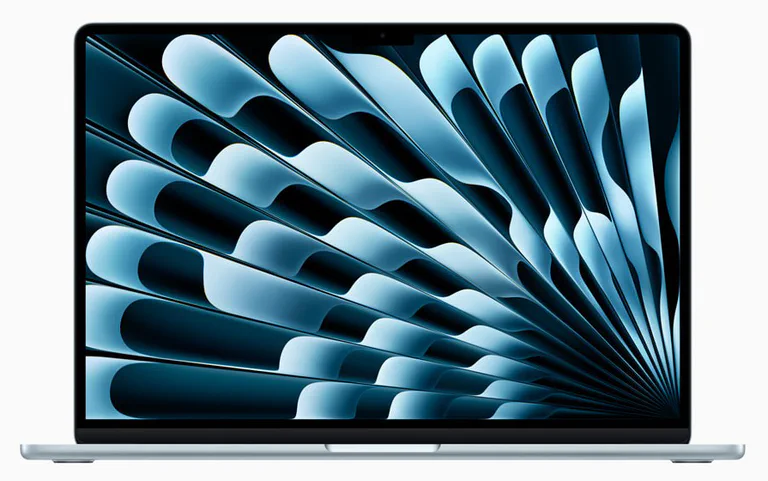
MacBook Air M4 13-inch
The M4 Air is not obsolete. It starts making sense when the discount is large and your storage needs are modest or already handled by iCloud and external drives.
- M4 chip
- 16GB base memory
- 256GB common base
- Wi-Fi 6E
At a small discount, I would skip it and buy M5. At a serious clearance price, the M4 becomes interesting again. The performance is still more than enough for writing, browser work, school, email, spreadsheets, Zoom, light photo editing and general business use. Apple launched the M4 Air with 16GB of starting unified memory, a 12MP Center Stage camera, support for up to two external displays and Wi-Fi 6E.
The catch is storage. Many discounted M4 listings are 16GB / 256GB. That is a good machine for a disciplined user and a bad machine for someone who saves everything locally. If the M4 is 512GB and the sale is strong, it becomes a much closer fight. If it is 256GB and only slightly cheaper than M5, let it go.
My simple threshold: if the M4 13-inch 16GB / 256GB is not at least a couple hundred dollars cheaper than the M5 13-inch 16GB / 512GB, I would rather buy the M5 and stop thinking about storage.
The M4 makes the most sense for someone who can honestly say, “I use web apps, stream media, store photos in the cloud and do not install giant creative tools.” If that sentence sounds like you are trying to pass a test, buy the larger SSD.
13-Inch vs 15-Inch
The 13-inch Air is the best MacBook Air because it is the purest version of the idea. It is light, easy to carry, easy to use in tight spaces and still powerful enough for normal work.
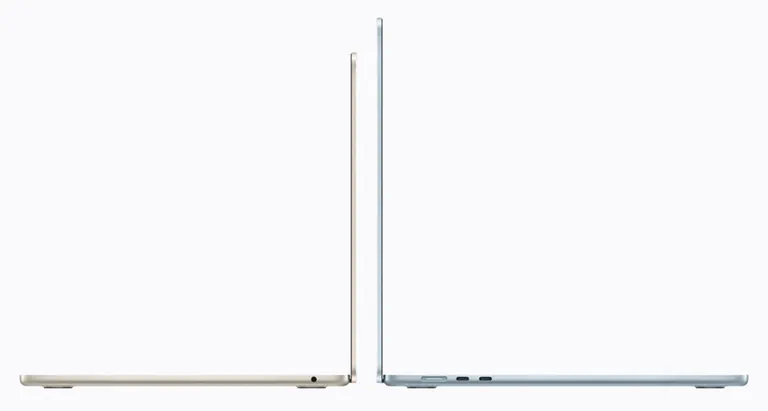
MacBook Air M5 15-inch
The 15-inch Air is not more "pro" than the 13-inch. It is simply more comfortable if you use the laptop display as your main workspace.
- 15.3-inch display
- M5 chip
- 512GB base SSD
- Still fanless
The 15-inch Air is the better desk laptop. If you write long documents, compare tabs, review spreadsheets, edit photos casually or keep a chat app beside your main work, the larger display is not cosmetic. It changes how often you feel cramped.
Do not buy the 15-inch because you think it performs like a MacBook Pro. It is still a fanless Air. Buy it because you want the Air experience with more screen.
If you travel often, pick 13-inch. If the laptop sits on a desk most days and you do not own an external monitor, pick 15-inch.
One practical check: imagine using the laptop on an airplane tray or a crowded classroom desk. If that sounds normal, 13-inch. If that sounds rare and you mostly work at a table, the 15-inch can feel calmer every day.
Storage and Memory: The Part People Regret Later
Memory is simple: 16GB is the floor I would accept for an Air in 2026. It is enough for the people who should be buying an Air. If you already know you need 24GB or 32GB, you probably also need to ask whether the Air is the right body.
Storage is where people talk themselves into pain.
256GB can work for:
- web apps, docs, school portals and email
- light photo editing with cloud storage
- people who already use external SSDs
- family laptops that do not store media libraries
512GB is better for:
- iPhone backups
- local Photos libraries
- coding tools
- offline video
- music production projects
- larger app libraries
- people who do not want storage chores
1TB is the comfort upgrade if you plan to keep the laptop for five years and hate managing files. It is not mandatory, but it is the upgrade people are least likely to resent later.
The caring version of the advice is this: do not buy the cheapest storage tier for the person you wish you were. Buy for the person who forgets to empty Downloads, keeps screenshots forever and discovers a 90GB Photos library only when macOS starts complaining.
The Fanless Catch
MacBook Air is silent because it has no fan. That is wonderful until your workload wants a fan.
For normal work, the fanless design is a gift. No noise in meetings. No dust-filled intake drama. No hot air blowing across a desk. The Air feels calm because it is calm.
For sustained heavy work, physics collects the bill. Long video exports, 3D rendering, large code builds, local AI workloads and gaming can push the chip hard enough that the laptop has to manage heat through the chassis. That does not make the Air bad. It means the Air is not a MacBook Pro. Thin, silent laptops are wonderful until your workload wants cooling.
If your heavy work arrives in short bursts, the M5 Air is fine. If your heavy work stays heavy for a long time, pay for active cooling.
The easy test: if the task has a progress bar you watch for minutes, the Air can probably handle it. If the task has a progress bar you leave running while making coffee, eating lunch and coming back annoyed, you are wandering into MacBook Pro territory.
Problems People Actually Run Into
Photos, Messages, iPhone backups, caches and creative apps can eat storage without one dramatic moment. If you hate cleanup, start at 512GB.
The dark finish looks great when clean and needy when handled. Silver and Starlight are lower-stress colors.
MagSafe helps, but two Thunderbolt ports can disappear fast. Budget for a reputable hub if you use monitors, storage or SD cards.
Silent is not magic. Long CPU/GPU work can slow down. Buy the Pro if the laptop earns money under sustained load.
The 15-inch Air is still thin, but it changes the bag and airplane-seat experience. Try the size before deciding.
Use known USB-C/Thunderbolt brands with clear power specs. Saving $25 on the hub is silly next to a $1,000 laptop.
MacBook Neo Is Not a Secret Air
MacBook Neo is tempting because it gives Apple a lower-cost MacBook lane. That does not automatically make it the best deal.

MacBook Neo
MacBook Neo is the price-pressure wild card. It can be enough for simple school and family use, but it is not an Air replacement for heavier multitasking.
- A18 Pro
- 8GB memory
- 256GB base SSD
- 13-inch display
Apple’s specs list MacBook Neo with an A18 Pro chip, 8GB of unified memory and 256GB or 512GB storage options. That can be enough for a first Mac, basic school work, browsing, video calls, streaming, notes and family use. It is not the same kind of long-term bet as a 16GB MacBook Air.
The easiest way to decide is to ask how annoyed you would be if the laptop felt full or constrained in two years. If the answer is “very,” skip Neo and buy Air. If the laptop is for a child, a parent, simple coursework or a mostly browser-based life, Neo is at least worth checking.
I would not buy Neo for heavy multitasking, creative work, coding, large local photo libraries or anything that already makes you wonder whether 8GB is enough. When memory is soldered, doubt is expensive.
Think of Neo as “a simple MacBook” rather than “a cheap Air.” That framing prevents disappointment.
Before You Pay: Match the Exact Configuration
Apple configuration paths were refreshed on May 21, 2026. Treat retailer pages as live inventory, not permanent recommendations: they can change price, color, storage, open-box condition and seller terms faster than an article can.
Do not treat a search-result price as a deal until the configuration matches: chip, screen size, memory, storage, color, keyboard region, warranty region and new/open-box condition.
The M5 Air is new enough that sale pricing may be uneven. Big retailers usually use MacBook deals to pull buyers into larger events, so check back-to-school, Prime Day-style events, Black Friday and open-box stock.
For the M4, the rule is harsher: do not buy yesterday’s base configuration at almost today’s price. The M4 is great when it is cheap. It is less great when the M5 sits nearby with double the base storage.
What Not to Buy for the Wrong Job
It is fine only if your habits are fine. If you keep local media or many apps, buy more storage.
The bigger Air gives you screen, not a fan. Sustained performance still belongs to the Pro line.
It can be a good cheap Mac. It is not a substitute for a 16GB Air if your work is serious.
What I Would Actually Buy
If I had to buy one MacBook Air today, I would buy the 13-inch MacBook Air M5 with 16GB of memory and 512GB of storage. It is the cleanest recommendation, and it removes the most common regret from older base Air models.
If I had a firm budget ceiling, I would watch M4 clearance pricing. I would only choose the 13-inch M4 over the M5 if the price gap felt large enough that I could live with 256GB or pay for the 512GB M4 configuration and still come out clearly ahead.
If I wrote all day and did not use an external monitor, I would buy the 15-inch M5 Air. The extra screen is a quality-of-life upgrade, not a flex. It means fewer cramped windows and less tab juggling.
If I were buying for a first-time Mac user with simple needs, I would check MacBook Neo but keep expectations honest. It is a cheaper Mac, not a hidden MacBook Air. That can still be a good thing if the job is simple.
If I exported video, compiled large projects, trained models, rendered 3D or gamed for long sessions, I would stop trying to make the Air fit and move to a MacBook Pro or a Windows laptop built for sustained load. For the efficiency side of that decision, our energy-efficient CPU guide is useful background even if you are not building a gaming PC.
The best MacBook Air purchase is the one you do not have to rationalize six months later. Get enough storage, pick the screen size you will actually carry, and do not mistake silence for unlimited cooling.
Shopping note: prices and availability can change quickly. Check the exact model, seller, condition, warranty, and return window before buying.