
The best gaming mouse is the one your hand can control for hours. Sensor numbers are already good on serious models; the real purchase decision is shape, weight, buttons, wireless setup, software tolerance and whether the seller will take it back if the shape feels wrong.
If you mostly play CS2, Valorant, Apex or other aim-heavy games, start with a light shape that matches your grip. If you play MMO, MOBA or ARPG games, buttons and software matter more than shaving ten grams. If you work and game on the same machine, comfort and scroll-wheel behavior can matter more than an esports sensor.
Freshness check: the current shortlist still works as use-case lanes, not as a live-price ranking. Viper V4 Pro and DeathAdder V4 Pro are the current Razer performance lanes; Naga V2 Pro and G305 are older specialist/value routes that survive only when the buttons, budget, support path, and return terms fit.
Best Gaming Mouse Picks At A Glance
Use this as the fast shopping map before you fall into spec-sheet noise.
- Razer Viper V4 Pro: start here for competitive FPS if you like light symmetrical mice and claw or fingertip grip. Skip it if you palm-grip large mice or the price only makes sense because of the 8K polling headline.
- Logitech G PRO X SUPERLIGHT 2: the safer esports shape when you want something familiar, common and easy to support. It is deliberately simple, so do not buy it expecting MMO buttons or right-hand ergonomic comfort.
- Razer DeathAdder V4 Pro: the comfort lane for a right hand when flat symmetrical shells feel too narrow. Only buy it where returns are painless, because ergonomic shapes are personal.
- Large hands / big wireless comfort: compare right-hand ergonomic lanes such as DeathAdder V4 Pro or Logitech G PRO X SUPERLIGHT 2 DEX before buying another tiny ultralight mouse. Use Naga V2 Pro only when buttons matter, not just because it is physically larger.
- Razer Naga V2 Pro: the older specialist pick for MMO, MOBA and ARPG players who actually use side buttons and profiles. It is too heavy and software-dependent to be the smart pure-FPS choice.
- Logitech G305 LIGHTSPEED: the older budget wireless lane when price, batteries and local availability matter more than ultralight fashion.
- Endgame Gear OP1 8K: the wired enthusiast lane if you want low weight, no charging and a clean cable setup. Availability and return terms matter more here than the headline polling number.
Your final pick should survive three checks: it fits your hand, it matches your main games, and the seller gives you a realistic way to return it if the shape feels wrong.
The Shortlist Worth Checking First
These cards use official product-page imagery as reference. Treat the buttons as product-page checks, not as a substitute for comparing the exact seller, color, bundle, warranty and return window in your region.
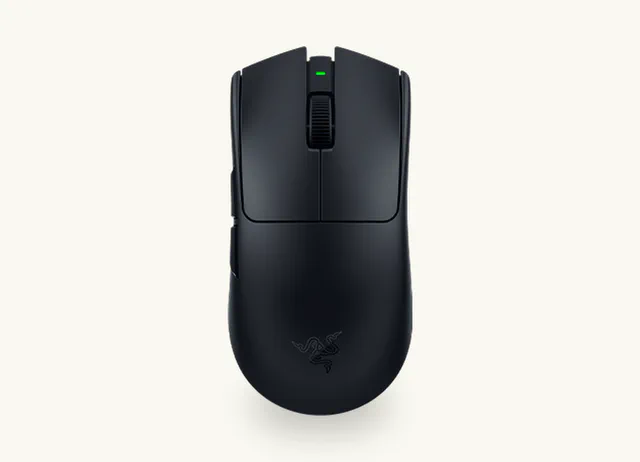
Razer Viper V4 Pro
Start here if you play aim-heavy games with claw or fingertip grip and want the light, symmetrical flagship lane.
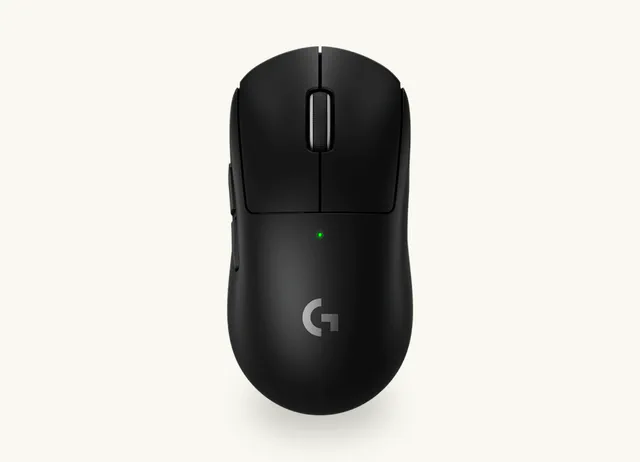
Logitech G PRO X SUPERLIGHT 2
The safer mainstream FPS pick when you want a familiar esports shell, broad support and fewer surprises.
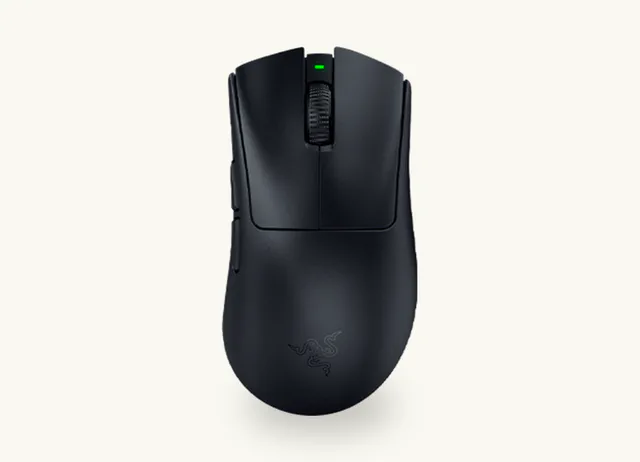
Razer DeathAdder V4 Pro
Use this lane if symmetrical esports mice feel too flat and your right hand wants more palm support.
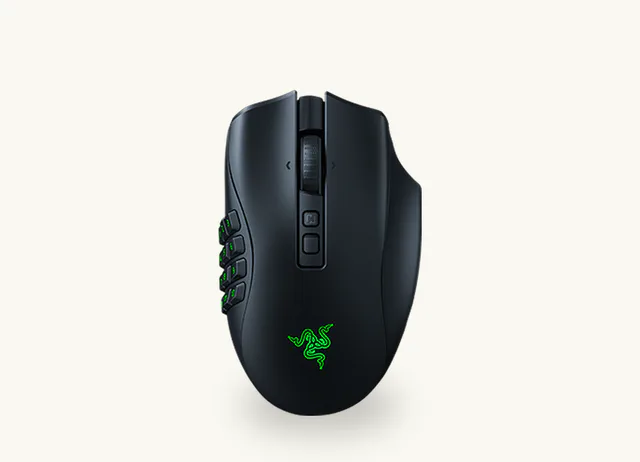
Razer Naga V2 Pro
The obvious specialist lane when side buttons, profiles and game-specific layouts matter more than ultralight aiming.
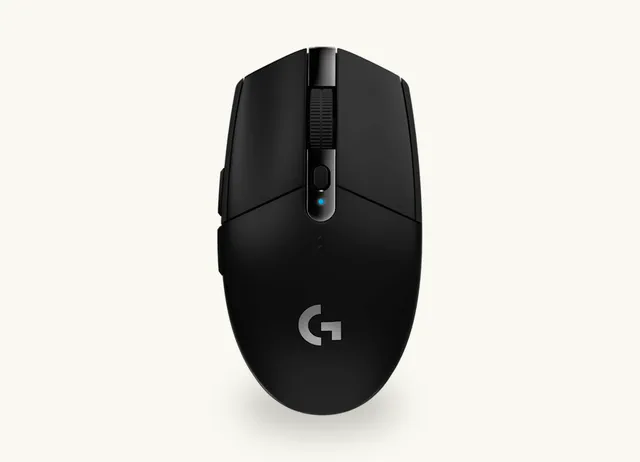
Logitech G305 LIGHTSPEED
A practical low-cost wireless choice when you want a known brand, easy availability and a real support path.
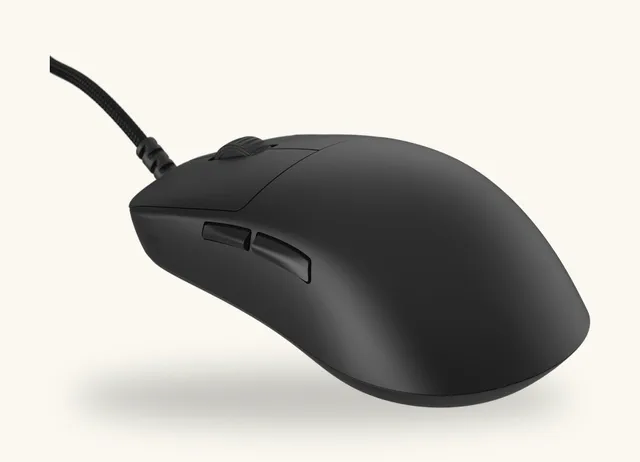
Endgame Gear OP1 8K
A strong wired lane if you want low weight, no charging, no wireless receiver placement and a more enthusiast-friendly shell.
Start With Your Hand, Not The Sensor
Measure from the base of your palm to the tip of your middle finger, then across the widest part of your palm. You do not need medical precision. You just need to know whether you are closer to small, medium or large, and whether you naturally grip with palm, claw or fingertips.
- Palm grip: your palm rests on the shell. Look for a larger, supportive shape. Right-hand ergonomic mice can feel much better here.
- Claw grip: your palm touches the rear of the mouse and your fingers arch. This often works well with lighter symmetrical mice or high-hump shapes.
- Fingertip grip: only your fingertips control the mouse. Shorter, lighter shells usually make more sense than large ergonomic bodies.
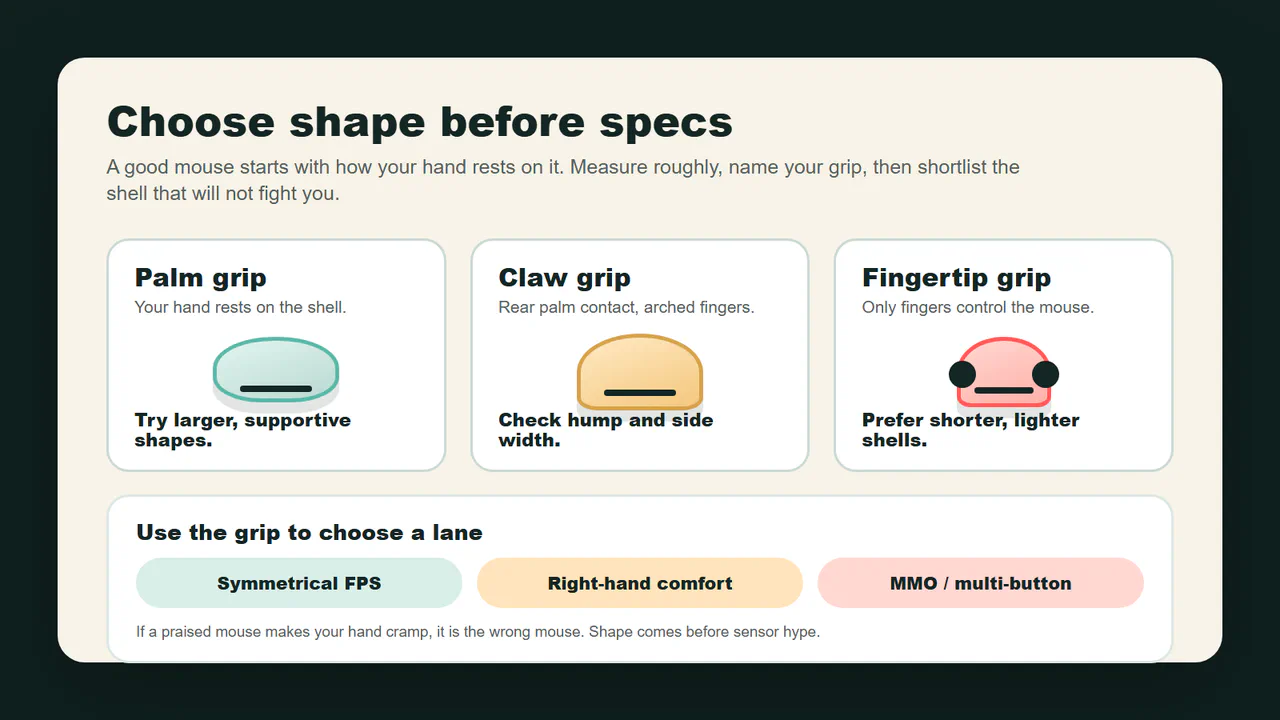
If a mouse is praised everywhere but your hand fights it, it is the wrong mouse. A 45 g shell that makes you cramp is worse than a 60 g shell you can control for three hours.
Pick By The Games You Actually Play
Competitive FPS
For CS2, Valorant, Apex and similar games, the safest path is a light mouse with a shape you can lift, stop and micro-adjust without thinking. Razer Viper V4 Pro is the current high-end symmetrical Razer lane: light, fast, expensive and aimed at claw/fingertip esports use. Viper V3 Pro remains a sensible sale or previous-generation option if it is clearly cheaper.
Logitech G PRO X SUPERLIGHT 2 is still a familiar safe-shape option. Newer click-tech models such as Logitech PRO X2 SUPERSTRIKE are worth watching if you specifically want adjustable or haptic click feel, but they are not the normal first buy for most people. A familiar shape with reliable wireless is often the better purchase than the newest trick.
If you want something smaller and more aggressive for claw grip, Pulsar X2H CrazyLight Mini is worth researching. Its high hump and very low weight are the point. That same shape can feel wrong if you palm-grip or have large hands.
Right-Hand Comfort
If you like your hand supported, look at ergonomic right-hand shapes before buying another symmetrical esports mouse. Razer DeathAdder V4 Pro and Logitech G PRO X SUPERLIGHT 2 DEX are the obvious high-end lanes here. They make more sense for relaxed claw or palm grip than for left-handed users or tiny fingertip setups.
This is the category where specs can lie to you. Two mice can both have excellent sensors and wireless, but one shell fills your palm and the other leaves you pinching the sides all night.
MMO, MOBA And Ability-Heavy Games
For MMO, MOBA and ARPG players, buttons and software become real features, not clutter. Razer Naga V2 Pro is the clean example: swappable side plates, up to 22 programmable controls and a right-hand ergonomic body.
The tradeoff is weight, complexity and software dependence. Do not buy a Naga because it looks “premium” if you mostly play CS2. Buy it because you will actually use the side buttons and you are comfortable configuring profiles.
If the Naga feels too heavy or too specialized, look for a lighter multi-button mouse only after checking the exact weight, button layout and software profile behavior on the product page. A “lightweight MMO” label is not enough by itself; the thumb buttons still have to be easy to reach without changing your grip.
Budget Wireless
Logitech G305 LIGHTSPEED is still the boring answer that survives because it is cheap, available and supported by a major brand. It uses an AA battery and is much heavier than modern ultralight mice, so it is not the mouse you buy if you want a featherweight esports feel.
The upside is simple: it is a recognizable budget wireless lane with a real support path. That matters more than a no-name marketplace mouse promising huge DPI, 8K polling and no warranty clarity.
Do not treat Logitech G102 or G203 search results as the same thing as G305 LIGHTSPEED. G102/G203-style rows are usually exact-model budget intent, often wired or region-specific, so check the connection type, official product page, seller, and return path before recommending them or mapping an old URL to this guide.
Wired Value
Endgame Gear OP1 8K is the type of wired mouse that still makes sense when you can buy it cleanly: light, fast, no charging, no wireless receiver placement, and more friendly to people who like tinkering with switches or skates.
The warning is availability. Before turning it into a final recommendation, check whether it is easy to buy in your region and what returns look like. A good wired mouse is not a good buy if shipping, warranty or replacement parts are painful.
Specs That Matter
Shape And Size
Shape beats almost every spec on the box. Length, width, hump position and side curvature decide whether your hand relaxes or fights the mouse. If possible, compare dimensions against your current mouse before buying.
Weight
Lower weight helps with fast aim, but it is not a religion. Around 50 to 60 g is already light for many players. Sub-40 g mice can feel amazing for quick flicks, but some readers find them too floaty or fragile-feeling. MMO and productivity mice can be heavier and still be the right tool.
Sensor And DPI
Modern gaming sensors from serious brands are usually good enough. Do not buy a mouse because it advertises 30,000 or 50,000 DPI. Most players use much lower practical sensitivity. What matters more is stable tracking, no obvious acceleration problems, and a shape you can control.
Polling Rate
1,000 Hz is still enough for most people. 4,000 or 8,000 Hz can matter if you play competitive games on a high-refresh monitor and your PC handles it cleanly, but it burns battery faster and can expose USB or game-engine weirdness.
If you are still tuning Windows, drivers or FPS stability, fix that first. Our CS2 FPS guide is a better first stop than buying an 8K mouse and hoping it solves everything.
Switches, Scroll Wheel And Feet
Click feel is personal. Optical switches can reduce some old double-click worries, but they do not automatically feel better. Scroll wheels, skates, coating and side grip wear are the parts that annoy people after a few weeks.
Before buying an expensive wireless mouse, check whether replacement skates are easy to find, whether the receiver can be replaced, and whether the brand requires proof of purchase from an authorized seller.
Wireless Is Good Now, But Not Magic
Good 2.4 GHz gaming wireless can be excellent. That does not mean every wireless mouse is equal or that Bluetooth is the same thing as a gaming receiver.
Use this checklist:
- Use the 2.4 GHz dongle for gaming, not Bluetooth, unless the game is casual.
- Put the receiver close to the mouse, ideally on the desk, not behind a metal PC case.
- Check battery life at the polling rate you plan to use. A mouse can last far longer at 1K than at 8K.
- Make sure the setup software works on your operating system, or that the mouse has onboard memory for the settings you care about.
- Keep a cable path ready for firmware updates, charging or troubleshooting.
For console players, be extra careful. A PS5 or Xbox setup can accept a keyboard and mouse in some contexts, but game support is not universal. Check the exact game before buying a mouse for console use.
Price Bands That Make Sense
Use price bands as a sanity check, not as a promise.
| Price Band | What Should Be True Before You Buy |
|---|---|
| Under $40 | Only buy if there is real brand support, clear returns and enough user/review evidence. |
| $40 to $80 | Best hunting zone for budget wireless, older flagships on sale and good wired mice. |
| $80 to $130 | Good zone for premium value or enthusiast shapes. Make sure the shape fits. |
| $130 to $170 | Flagship esports zone. Pay only when the mouse fits your hand and game. |
| $170+ | Specialist territory: MMO, experimental click tech, charging ecosystems or niche features. |
If two mice both fit your hand, buy the one with clearer return terms, warranty proof and replacement parts. The “best” mouse is not a bargain if a wheel issue, lost dongle or bad seller leaves you stuck.
Before You Pay
Run this quick check:
- Is the seller the official store, a major retailer, or an authorized seller?
- Is the return window long enough to test shape and comfort?
- Does the warranty require proof of purchase?
- Can you replace skates, cable, receiver or charging puck if needed?
- Does the software run on your OS?
- Are you paying for 8K polling, macros or wireless charging because you will use them, or because they sound premium?
- If buying used or open-box, are dongle, cable, adapter, extra side plates and skates included?
For Razer gear specifically, serial-number checks can help when a deal looks suspicious. See our Razer serial number guide before buying from a marketplace seller.
If Your Current Mouse Feels Broken
Do not replace a mouse before you know what failed.
If the pointer stutters, first try another USB port, another mousepad surface and a clean sensor window. If it only happens in one game, check frame pacing and CPU/GPU load before blaming the mouse. If the cursor spins out during fast swipes, test on a clean cloth pad and lower lift-off or surface-tuning settings if the software offers them.
If the scroll wheel jumps, the side buttons double-trigger, or the battery drops unusually fast, check the return window and warranty path immediately. That is where an official seller and proof of purchase matter.
Fast Shortlist
If you want a fast practical route:
- FPS, claw/fingertip, premium: start with Razer Viper V4 Pro.
- FPS, familiar shape: start with Logitech G PRO X SUPERLIGHT 2.
- FPS, right-hand comfort: compare DeathAdder V4 Pro and Superlight 2 DEX.
- MMO/MOBA: start with Razer Naga V2 Pro, but only if you will use the side buttons.
- Budget wireless: start with Logitech G305, then decide whether the weight is acceptable.
- Wired enthusiast: look at Endgame Gear OP1 8K if availability and returns are good in your region.
- Small/medium claw: research Pulsar X2H CrazyLight Mini carefully.
That is a shortlist, not a command. Your hand decides the final answer.
Before you buy, open the exact product page and treat the checkout screen as part of the product: color, size, receiver, cable, return window and seller name all matter. A mouse that is perfect on paper can still be the wrong buy if the seller route is messy.